
How to Use AI to Automate Your Real Estate Calendar and Weekly Task Management
Most real estate agents spend their week reacting to whatever lands in their calendar instead of designing their week around high-value work. This guide shows how to use AI tools like ChatGPT, Claude, or Gemini to analyze your commitments, categorize your tasks, and build a weekly schedule that protects your revenue-generating time.
TAThe AMS TeamEditorial Team · September 25, 2026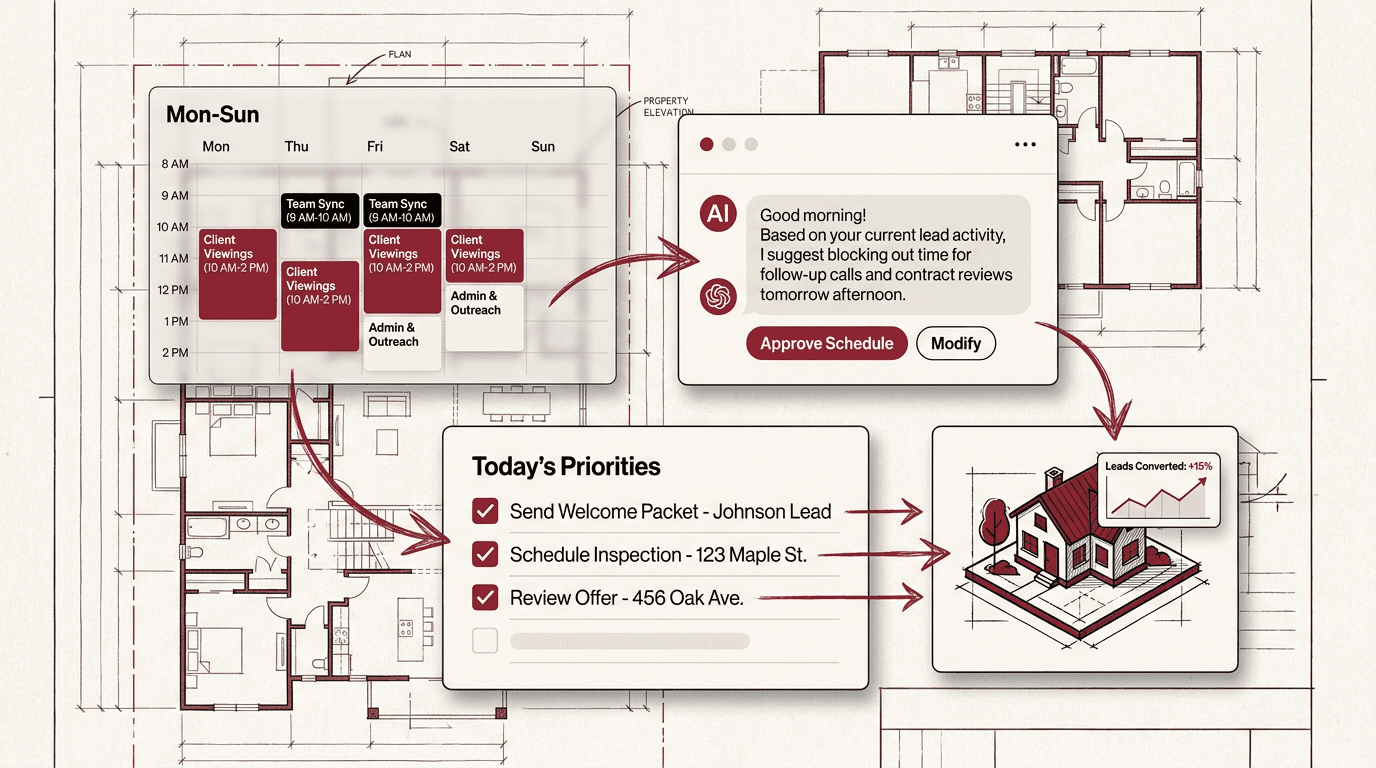
Every real estate agent faces the same weekly challenge. Between listing appointments, open houses, client meetings, showings, and prospecting blocks, the week fills up before the priorities are set. Most agents end up reacting to whatever lands in their calendar rather than designing their week around high-value activities.
AI tools can change that. Instead of spending Sunday night manually sorting your calendar and building a to-do list, you can use AI to analyze your commitments, prioritize your tasks, and build a weekly schedule that protects your most important work. This guide shows you a tool-agnostic workflow that works with ChatGPT, Claude, or Gemini.
Step 1: Collect Your Weekly Inputs
Before AI can help you plan, it needs to know what is on your plate. Start by gathering the raw material of your week into a single note or message:
- Appointments already on your calendar: showings, listing presentations, open houses, team meetings.Client touchpoints: follow-ups, check-ins, contract milestones, closing dates.
- Prospecting and lead-generation blocks: open house prep, FSBO calls, expired listing outreach, social media content creation.
- Administrative and operational tasks: paperwork, file organization, follow-up sequences, team coordination.
- Personal commitments that affect your availability: appointments, family events, errands.
The goal is not perfection. A rough list of 10 to 15 items is enough. The AI will help you sort and prioritize them.
Step 2: Let AI Analyze and Categorize Your Week
Send your task list to your AI assistant with a prompt that asks it to categorize each item by type and urgency. A good structure:
"I am a real estate agent planning my week. Here are my tasks and appointments. Categorize each one as: Revenue-Generating (client-facing that leads to income), Client Service (ongoing client support), Prospecting (finding new business), or Operations (admin and paperwork). Then rank them by urgency: High (this week or deadline), Medium (next week), Low (flexible). Suggest a schedule that puts Revenue-Generating work in my peak energy hours."
The AI will return a structured breakdown of your week. Most real estate agents discover that 60% or more of their calendar is operations and client service, with only 20% going to direct revenue activity. Seeing this imbalance is the first step to fixing it.
Step 3: Build a Time-Blocked Weekly Schedule
With your tasks categorized, ask the AI to generate a time-blocked schedule. Time blocking means assigning specific hours to specific types of work rather than keeping a running to-do list. A sample weekly framework for a real estate agent might look like this:
Monday: 9-11 AM prospecting calls, 11-12 PM team meeting, 1-4 PM listing appointments and showings, 4-5 PM client follow-up. Tuesday: 9-10 AM content creation (blocked for social media), 10-12 PM open house preparation, 1-3 PM paperwork and file organization, 3-5 PM lead response and inbox. Wednesday: Full day for showings and client meetings. Thursday: Repeat Monday structure with different clients. Friday: 9-11 AM prospecting, 11-1 PM listing prep, 1-3 PM operations and planning for next week.
The AI can tailor this framework to your specific market, your past availability patterns, and the unique mix of listings and clients you have this week. You can refine it by telling the AI what your peak energy hours are and what types of work you prefer to batch together.
Step 4: Automate Recurring Tasks with AI Reminders
A weekly planning session with AI is a habit, but you can go further by automating recurring task generation. Many real estate weeks contain the same types of work: past-client check-ins, review requests, market update posts, and listing milestone follow-ups.
Create a saved prompt or custom instruction in your AI tool that maintains your weekly planning framework. Each Sunday or Monday morning, send it your new items and let it produce a fresh schedule. Over time, the AI learns your patterns and can start suggesting tasks before you list them. For example, if you always follow up with past clients on Tuesdays after a listing closes, the AI will include that in your weekly plan automatically based on your closing dates.
Step 5: Connect Your Calendar for Two-Way Sync
The most advanced version of this workflow connects your AI assistant to your actual calendar. Tools like ChatGPT, Claude, and Gemini can integrate with Google Calendar or other calendar platforms through connectors and API access.
When connected, your AI assistant can:
- Read your existing calendar events and factor them into the weekly plan.
- Identify conflicts or overbooking before you commit to new appointments.
- Suggest the best times for prospecting blocks based on your actual availability.
- Create calendar events directly from your approved schedule.
This step is optional but powerful. Even without calendar sync, the weekly planning prompt gives you a structured schedule that you can manually enter in a few minutes.
Step 6: Review and Adjust Midweek
No weekly plan survives contact with a real estate week untouched. Showings run long, last-minute offers come in, and clients need you at unexpected times. Schedule a 10-minute midweek review on Wednesday or Thursday.
Send your AI assistant a quick update: what got done, what shifted, and what still needs attention. Ask it to re-prioritize the remaining days. This keeps you from reaching Friday with three days of work still to do.
Why This Works
The AI calendar and task management workflow shifts you from reactive scheduling to intentional time design. Instead of asking "What do I have to do today?" you start each week asking "What work matters most, and when will I do it?"
The six-step process works the same way whether you use ChatGPT, Claude, or Gemini. The tool is less important than the habit of weekly planning with AI support. Start with the prompt in Step 2, adjust it to your style, and build the routine over four weeks. By the end of the first month, the AI will know your business well enough to spot patterns you might miss.
Frequently asked questions
Which AI tool works best for weekly calendar planning?+
ChatGPT, Claude, and Gemini all handle weekly planning prompts well. Choose the one you already use. The workflow in this guide is tool-agnostic. The key is consistency, not which assistant you pick.
Do I need to connect my calendar to the AI for this to work?+
No. Steps 1 through 4 work without any calendar connection. You can paste your tasks and appointments into the prompt manually. Calendar sync (Step 5) is an optional upgrade that lets the AI read and write events directly, but it is not required to benefit from the weekly planning workflow.
How long does the weekly planning session take with AI?+
The initial setup takes about 15 minutes to build your prompt and run through the categories. After that, each weekly session takes 5 to 10 minutes: paste your list, let the AI categorize and schedule, then adjust as needed.
What if my week is unpredictable and plans change daily?+
That is normal in real estate. The midweek review in Step 6 handles this. Spend 10 minutes on Wednesday adjusting your plan for the rest of the week. Even with changes, starting the week with a structured plan gives you a default schedule to return to between interruptions.
Can I automate the weekly planning entirely so I do not have to prompt every week?+
You can partially automate it by saving your planning prompt as a custom instruction or project in your AI tool. Some agents use Zapier or similar automation to collect calendar events and task lists and send them to the AI on a schedule. A human review step before finalizing the schedule is still important.
Will the AI know my real estate market without me telling it?+
No. The AI needs context about your specific market, typical transaction timelines, and your personal work patterns. Include your market area, average days on market, common contract contingencies, and your preferred prospecting methods in the initial setup prompt so the schedule reflects your actual business.


