
How to Automate Your Real Estate Email Signature and Digital Business Card with AI
Learn how to use AI to generate, update, and sync your email signature and digital business card across Gmail, Outlook, and your CRM. This walkthrough covers creating a professional signature block with ChatGPT or Claude, setting up a digital card that updates automatically, and building a change-tracking routine so your contact information stays current without manual effort.
TAThe AMS TeamEditorial Team · September 22, 2026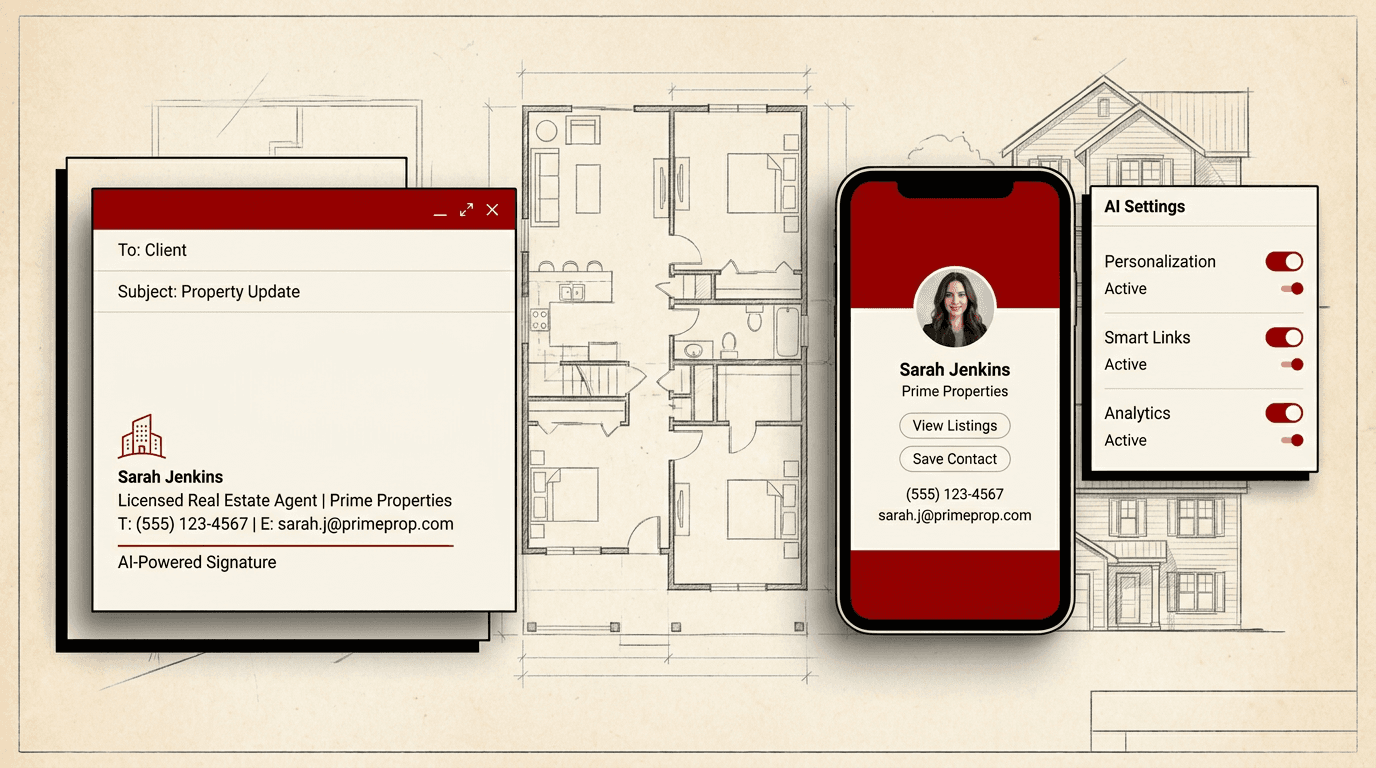
Your email signature and digital business card are working every time you send a message or tap a phone. Most agents set them once and forget them, but an outdated signature or a digital card that still shows a sold listing undermines every conversation. AI tools can build, update, and sync both so they stay current without manual maintenance.
Why email signatures and digital cards need automation
Every email you send carries your name, title, brokerage, phone, and website. A digital card adds your headshot, social links, and a tap-to-save contact entry. If any field changes, you want every place that displays it to update automatically. AI can watch for changes in your brokerage roster, license status, and listing inventory, then push updated signatures and cards without you opening a settings panel.
1. Generate your signature block with AI
Open ChatGPT or Claude and paste this prompt:
"Generate an email signature block for a real estate agent. Use my info: [NAME], [TITLE], [BROKERAGE], [PHONE], [EMAIL], [WEBSITE], [LICENSE NUMBER]. Format as clean HTML that works in Gmail and Outlook. Include a horizontal rule separator, the brokerage logo placeholder as an image tag, and standard real estate disclaimers. Keep the design professional and readable."
The AI returns a ready-to-paste HTML block. Test it by sending yourself an email. If the spacing or font size needs adjustment, tell the AI to fix it rather than editing the code yourself. This workflow works for any AI assistant that can output formatted HTML.
2. Create your AI-powered digital business card
Digital business card platforms like Blinq, HiHello, and Uniqode let you create a contact card that updates live. The AI workflow makes setup faster:
Step A: Ask ChatGPT or Claude to draft the complete content for your digital card using the same profile details you used for your signature. Include your bio, service areas, listing specialties, and social media links.
Step B: Open your digital card platform, paste the AI-generated content into the profile fields, upload your headshot and brokerage logo, and publish.
Step C: Add the card to your phone wallet and email signature. Most platforms generate a QR code and a shareable link. Put the link or QR in your email signature so every recipient can save your card with one click.
3. Automate signature updates across email accounts
Most agents have more than one email account, and updating signatures manually across all of them is the fastest way to have an outdated signature on one of them. Use these approaches:
Gmail: Save the AI-generated signature in Gmail settings. Gmail's signature editor supports HTML, so paste the full block directly. Create separate signatures for primary replies and forwarded messages if needed. Gmail also supports per-alias signatures, so add your personal and brokerage aliases.
Outlook on the web: Go to Settings, Mail, Compose and reply. Outlook's signature editor also accepts HTML. Paste the AI-generated block, preview it, and save. For the desktop Outlook app, the web version syncs the same signature.
CRM integrations: Tools like HubSpot and Follow Up Boss pull signature content from your contact profile. Keep your profile current and the CRM reflects it across all outgoing messages.
4. Set up a change-tracking routine with AI
The real leverage comes when your signature and card update themselves when something changes. Set up this framework:
Trigger events: Brokerage name change, office relocation, license number update, phone number change, new designation or certification, listing inventory milestones.
AI monitoring: Use a tool like Zapier or n8n to watch your brokerage's roster page or your Google Calendar for changes. When a change is detected, trigger ChatGPT or Claude to generate a new signature block and email it to you with instructions to update.
Quarterly audit: Set a recurring calendar reminder to review your signature and digital card with AI. Paste your current signature and card into ChatGPT and ask: 'What looks outdated or could be improved for a real estate agent?' The AI will flag old design trends, missing social links, or stale taglines.
5. Add your digital card link to your email signature
Combine the two systems. After you create your digital card, grab the share link and embed it in your email signature. Write a short call to action above your signature block: 'Save my contact info | Tap here.' The link opens the digital card where the recipient can save your contact to their phone in one tap. This single connection turns every email into a contact acquisition channel.
Best practices for AI-generated signatures and cards
Keep your signature to 4 to 6 lines. Long signatures get truncated on mobile. Include name, title, brokerage, phone, email, and website. Add the digital card link below the divider.
Use a consistent headshot across your signature, digital card, and social profiles. AI can crop, resize, and background-remove your headshot for all three.
Include your brokerage-required disclaimers. AI can generate these from your license info. Do not remove or modify them.
Test your signature on mobile before using it. AI-generated HTML can look perfect on a desktop and break on a phone. Send a test email to yourself and your phone to verify.
Update your digital card whenever you add a new designation or change your bio. The whole point of digital over printed cards is instant updating.
Your email signature and digital card as lead generation tools
An AI-managed signature and digital card system means every email and every NFC tap sends consistent, current contact information to the person on the other end. No more hunting for your brokerage's new address before sending a proposal. No more explaining that your phone number changed last month. The AI handles the update, you handle the conversation.
Frequently asked questions
Can AI update my email signature automatically when I change brokerages?+
AI alone cannot update your email settings automatically, but you can build an automated workflow. When your brokerage changes, trigger a Zapier or n8n automation that asks ChatGPT or Claude to generate a new signature block with your updated details. The output is emailed to you as ready-to-paste HTML so you can update all your email accounts in minutes.
Which digital business card platform works best for real estate agents?+
Blinq, HiHello, and Uniqode all work well for real estate. Blinq offers custom branding and integrates with CRMs. HiHello supports team cards for brokerage groups. Uniqode provides NFC cards that work even when your phone battery is dead. Choose the one that fits your brokerage's standard and your daily workflow.
Will my AI-generated signature work in both Gmail and Outlook?+
Yes, as long as you generate the signature as clean HTML and test it. Gmail and Outlook on the web accept HTML pasted directly into their signature editors. The key is keeping the code simple no complex tables or embedded images that one platform renders differently. Ask the AI to keep the HTML minimal and table-free.
How do I add my digital card QR code to my email signature?+
Most digital card platforms provide a shareable URL and a QR code PNG. Upload the QR code image to your email signature editor and link it to your digital card URL. Recipients who scan the QR get your contact saved directly to their phone. Place the QR code below your contact block so it does not crowd the signature.
How often should I audit my email signature and digital card?+
Run an audit every quarter. Set a recurring calendar reminder to review both with AI. Paste your current signature into ChatGPT and ask it what looks outdated or could be improved. Check that your headshot, phone, address, and license number are current. Digital cards make this easy because you can edit them from your phone in seconds.
Can I use the same AI prompt to create signatures for my team members?+
Yes. Write a master prompt with placeholder fields for name, title, phone, and email. Run it once per team member, substituting their details. This keeps every agent's signature on a consistent brokerage template. Store the master prompt in ChatGPT or Claude so you can regenerate a team member's signature when their info changes.


