
How to Generate a Month of Social Media Content for Real Estate Agents Using ChatGPT
Plan a full month of Instagram, Facebook, and TikTok content in one 90-minute session using ChatGPT. This step-by-step workflow covers content pillars, caption writing, visual planning, and batch scheduling.
TAThe AMS TeamEditorial Team · September 9, 2026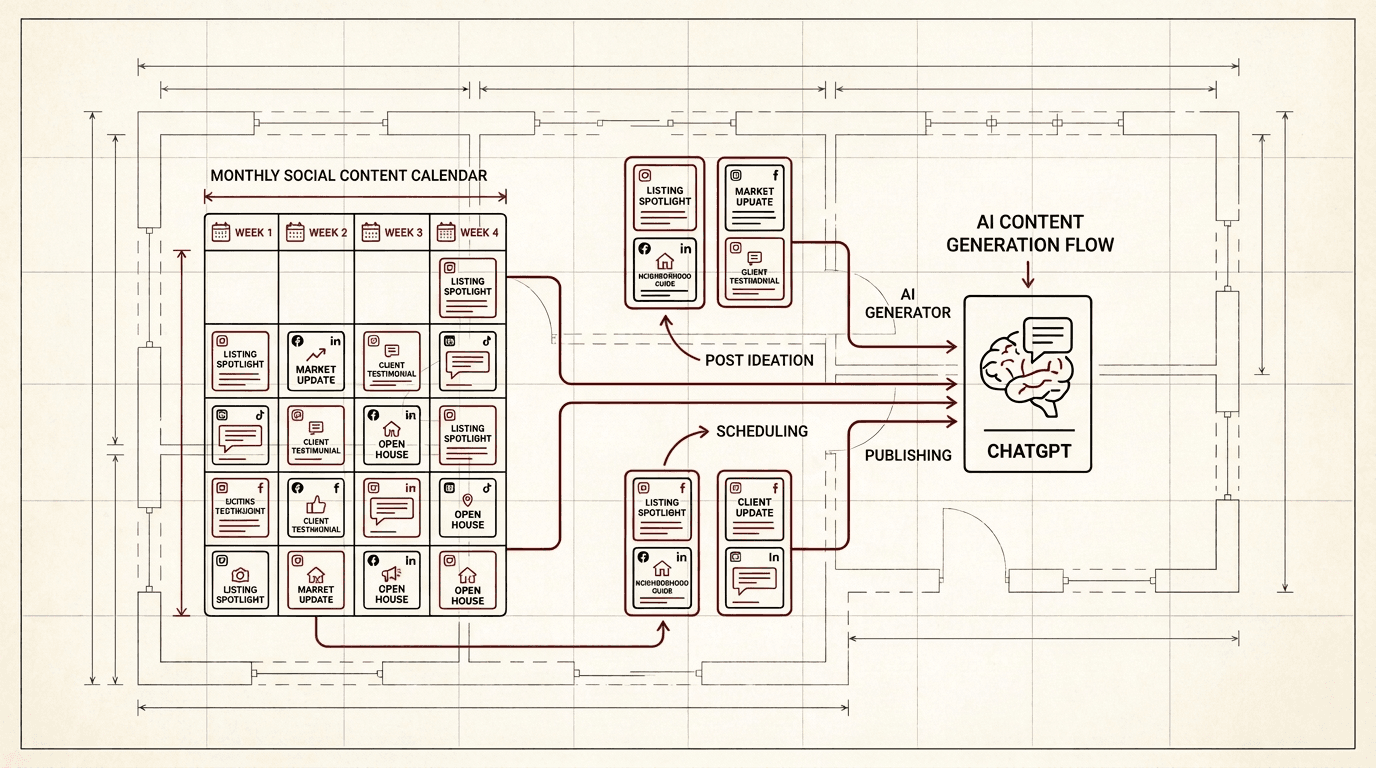
If you are posting to Instagram, Facebook, or TikTok whenever you remember, you are leaving engagement on the table. A consistent social media presence builds trust with past clients and keeps you top-of-mind when they hear about a friend who wants to buy or sell. The problem is that planning a month of posts feels like a second job. This workflow uses ChatGPT to batch-plan, write, and organize a full month of social media content in under two hours.
What You Will Need
A free or paid ChatGPT account. A notebook or spreadsheet to capture your plan. About 90 minutes of uninterrupted time once a month.
- Step 1: Define Your Content Pillars
- Before you ask ChatGPT to write anything, decide what kinds of posts you want to publish. Most real estate agents succeed with three to five content pillars:
- Just Listed and Just Sold: Properties you are actively marketing or have closed
- Local Market Insights: What is happening in your neighborhood or city
- Behind the Scenes: Your day-to-day, showings, inspections, client meetings
- Personal Content: Hobbies, community involvement, family (shows you are human)
- Tips for Buyers and Sellers: Advice that positions you as the local expert
- Write your pillars down. This structure stops you from staring at a blank page every morning.
Step 2: Ask ChatGPT to Build a Monthly Theme Grid
Open ChatGPT and paste this prompt:
"I am a real estate agent in [your city]. My content pillars are: [list your 4-5 pillars]. Create a 4-week social media content grid for me. For each week, suggest 3-4 post ideas, one per pillar. On the calendar, note any local holidays, real estate events, or seasonal topics (home maintenance in fall, spring market preview, and so on). Output as a simple table."
ChatGPT returns a week-by-week grid. Review it and move any posts that clash with your scheduled listings or events. This is your skeleton for the month.
Step 3: Batch-Write Captions for All Four Weeks
With the grid approved, send ChatGPT your first week of topics and ask for full captions:
"Here is my week 1 content plan: [paste topics]. Write Instagram captions for each post. Each caption should be 100-150 words, include a clear call to action (like comment below or DM me or click the link in bio), and use a friendly but professional tone. Add 5-8 relevant hashtags at the bottom."
Repeat for weeks 2, 3, and 4. Copy the captions into a spreadsheet or document so you can see the whole month at once. Read each caption out loud before approving it. If anything sounds off, ask ChatGPT to revise that specific caption.
Step 4: Generate Visual Concepts and a Shot List
Consistent visuals matter as much as consistent copy. For each week, ask ChatGPT:
"For these post ideas [paste week 2 topics], suggest what kind of visual to use for each one. Tell me whether to shoot a photo (what should be in frame), use a free stock image (describe the search term), or create a graphic (what text goes on it). Be specific about colors and composition."
On a Sunday afternoon, shoot the photos you need, pull the stock images, or open Canva and create the graphics. A batch content session that covers all visuals for the month is far more efficient than scrambling for a photo every morning.
Step 5: Schedule Everything at Once
With captions written and visuals ready, load everything into your scheduling tool of choice. Meta Business Suite for Instagram and Facebook, Buffer, Later, or Hootsuite all work. Spread your posts evenly across the week, typically three to five posts per week for most agents. Space them at least a day apart so your audience does not feel spammed.
Set your schedule and walk away. Your social presence is handled for the next 30 days.
How to Keep This Running Month After Month
Save your pillar list and the prompt templates in a document. Each month, reuse the same prompts with updated topics. After two or three months, you will have a library of content you can remix: a market update from January can reappear in June with new numbers. ChatGPT remembers your style within the same conversation thread, so keep a dedicated "social media content" chat open for each month. Start a new thread each month to keep the context fresh.
What If You Run Out of Post Ideas
Go back to your saved posts folder and look for a "Just Sold" that never got a social post, a client testimonial you could turn into a carousel, or a frequently asked question from a buyer that would make a good Reel. Ask ChatGPT to rewrite old captions with a fresh angle or to combine two old ideas into one hybrid post. A content library grows faster than it shrinks when you keep everything you have already written.
A month of social content does not require a month of daily effort. With ChatGPT doing the drafting and organizing, you spend one focused session planning, then execute on auto-pilot. Your consistency goes up, your stress goes down, and your audience sees a real estate agent who shows up every day.
Frequently asked questions
How long does it take to plan a month of social media content with ChatGPT?+
About 90 minutes for your first month. Once you have your pillars and prompt templates saved, each subsequent month takes 45 to 60 minutes.
Should I use the same ChatGPT thread every month?+
No. Start a fresh thread each month so the context window stays relevant. Keep your pillar list and prompt templates in a separate document you can paste into each new thread.
How many posts per week should a real estate agent publish?+
Three to five posts per week is a sustainable cadence for most agents. Quality and consistency matter more than frequency. One good post per day is better than five rushed ones.
Can ChatGPT suggest hashtags for my real estate posts?+
Yes. Ask for 5 to 8 relevant hashtags per post in your caption prompt. Review the suggestions to make sure they match your local market and audience. Avoid banned or spammy hashtags.
What if I have no photos or visuals for my social posts?+
Use stock photo sites like Unsplash or Pexels for generic images, or create simple text-on-background graphics in Canva. For listing photos, ask ChatGPT to write captions first, then add the property photos when you have them.


