
How to Repurpose One Social Post Into a Blog Article and Newsletter Using AI
Turn one social media post into a blog article and email newsletter using AI. This guide shows real estate agents how to build a repurposing pipeline that multiplies content output without multiplying the work.
TAThe AMS TeamEditorial Team · September 24, 2026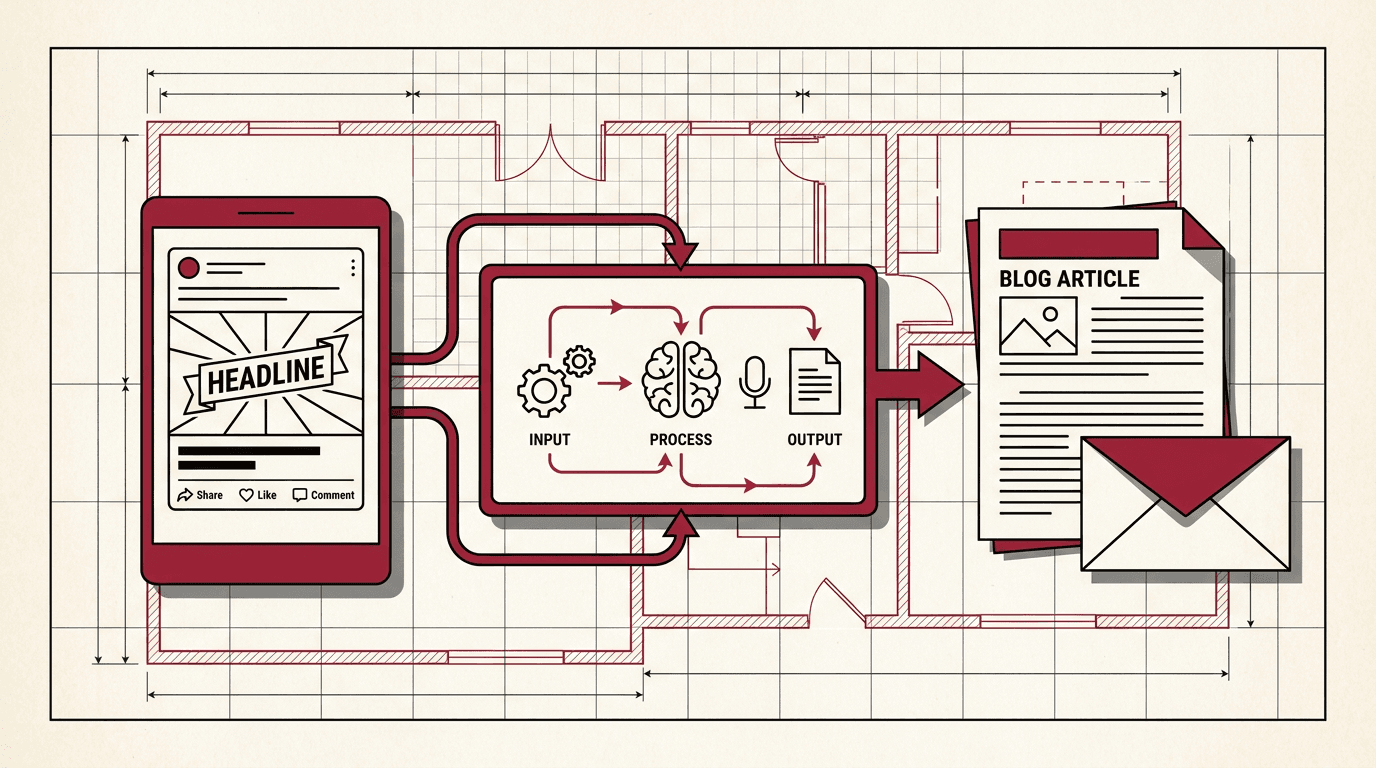
Most real estate agents create content one piece at a time. A social post stays a social post. A newsletter stays a newsletter. Every format gets its own writing session, and the output never crosses over. That approach burns time and leaves content on the table.
A repurposing pipeline changes that. Instead of writing three separate pieces, you write one and let AI reshape it for the other formats. The same insight becomes a social post, a blog article, and a newsletter. The idea stays the same. The format changes. This guide walks through building that pipeline with ChatGPT.
Step 1: Write One Piece of Social Content
Start with the format that comes most naturally to you. For most agents, that is a social media post. Write a post about a topic your audience cares about: a market update, a client success story, a tip about buying or selling, or a lesson from a recent transaction.
Keep it short. A 100 to 200 word social post is enough to carry one strong idea. The goal is not to say everything. The goal is to say one thing clearly. That single idea becomes the seed for everything that follows.
Choose a topic with enough depth to expand. A quick market stat works better than a simple hello post. A tip about preparing a home for photos has room to grow into a blog article and a newsletter.
Step 2: Expand the Social Post Into a Blog Article With ChatGPT
Open ChatGPT and paste your social post into a new conversation. Use a prompt that tells ChatGPT to expand the post into a full blog article while keeping your voice and adding useful detail.
Example prompt:
Here is a social media post I wrote. Expand it into a 500 to 700 word blog article for my real estate website. Keep my voice and perspective. Add a short introduction, expand each point with practical details agents would find useful, and close with a call to action. Use short paragraphs. Do not add statistics or claims I did not make.
ChatGPT returns a full draft. Read it through. Adjust the tone and remove anything that does not sound like you. Add your own examples and specifics from real transactions. The AI provides the structure and the expansion. You provide the authenticity.
Once the blog draft is final, save it as a draft in your website CMS or as a Google Doc. You will use the same source material for the newsletter.
Step 3: Convert the Blog Article Into a Newsletter With ChatGPT
Start a new conversation in ChatGPT. Paste the blog article you just finished. Use a prompt that asks ChatGPT to condense it into a newsletter format.
Example prompt:
Here is a blog article I wrote. Turn it into an email newsletter. Write a subject line under 50 characters, a preview text under 90 characters, and a body of about 150 to 200 words. Include a summary of the main point, three key takeaways as bullet points, and a link to the full article on my website. Keep the tone friendly and professional.
The newsletter output gives you everything you need. Paste the subject line and body into your email platform (Mailchimp, Constant Contact, or your CRM email tool). Add the link to the full blog article. You now have three pieces of content from one starting point.
Step 4: Build the Repeatable Pipeline
The real value comes from repeating this process every week. Set up a simple system:
Day 1: Write your social post (15 minutes).
Day 1: Expand it into a blog article with ChatGPT (10 minutes).
Day 2: Review and polish the blog article (15 minutes).
Day 2: Convert the blog into a newsletter with ChatGPT (5 minutes).
Day 2: Schedule the social post, publish the blog, send the newsletter (10 minutes).
Total time: under an hour per week for three pieces of content. Without the repurposing pipeline, producing a social post, a blog article, and a newsletter separately would take two to three hours.
Step 5: Optimize Each Channel for Its Format
Each channel has different expectations. A social post needs a hook in the first line. A blog article expects headings and scannable paragraphs. A newsletter needs a subject line that gets opened. AI handles the format conversion, but you should review each version for its specific channel:
Social post: Keep it tight. One idea, one hook, one call to action. Add an image or video. Use hashtags sparingly.
Blog article: Add subheadings, bullet points, and examples from your experience. Include a featured image. Link to your social post and invite readers to follow you there.
Newsletter: Write a subject line that states the value clearly. Keep the body short. Use bullet points for quick scanning. End with a single link to the full blog article.
Cross-link each piece to the others. The social post mentions the blog. The blog links to the newsletter signup. The newsletter directs readers to the blog. Each format feeds the next one.
Why a Repurposing Pipeline Works for Real Estate Agents
Most agents know they should post on social media, publish blog articles, and send newsletters. The barrier is not knowledge. It is time. Writing original content for three separate channels every week is not sustainable alongside listing appointments, showings, and client meetings.
A repurposing pipeline solves the time problem by reusing the same intellectual work across formats. The research, the insight, and the perspective happen once. AI handles the restructuring. You keep the voice and the authority.
Consistency compounds. Publishing one social post, one blog article, and one newsletter every week for three months builds a content library that works for you. Past clients searching for a market update find your blog. New leads subscribe from your social profile. Every format reaches a different audience segment with the same message.
Frequently asked questions
Can I use this repurposing pipeline with any AI tool or only ChatGPT?+
The prompts in this guide work with ChatGPT, Claude, and Gemini. The core approach does not depend on a specific tool. Choose the AI assistant you already use and adjust the prompt wording to match its style.
How long should the original social post be for repurposing to work well?+
Aim for 100 to 200 words. That length gives the AI enough material to expand into a blog article without being so short that the output becomes generic. A single clear point with a practical example works best.
Do I need to edit the AI generated content before publishing?+
Yes. AI generated content needs a human review pass. Read the blog article draft for accuracy and tone. Add your own transaction examples and local market knowledge. The AI provides structure and expansion. You provide the voice and the expertise.
Can I automate the whole pipeline so AI runs it without me?+
You can automate parts of the pipeline using tools like Zapier or n8n. For example, you can set up an automation that takes a published social post and sends it to ChatGPT for expansion. But a human review step before publishing is essential to maintain quality and accuracy.
What topics work best for a social to blog to newsletter pipeline?+
Topics with practical value for buyers and sellers work best. Market updates, home preparation tips, neighborhood spotlights, buying and selling process guides, and client success stories all have enough depth to expand into a full blog article.
How do I save my ChatGPT prompts so I do not retype them every week?+
Save your prompts in a notes app, a Google Doc, or as a custom GPT. Creating a custom GPT in ChatGPT lets you preload your prompts and preferences so each new conversation starts with your repurposing workflow ready to go.
How does repurposing affect my search engine rankings?+
Repurposing helps search rankings when each piece targets the right format and channel. The blog article is the long-form content that search engines index. The social post drives traffic to the blog. The newsletter builds direct audience engagement. Each format supports the others.


