
How Real Estate Agents Can Use Quo for Calls, Texts, and Team Follow-Up
Quo gives real estate agents one or more business numbers and shared inboxes for calls, texts, and follow-up. This guide shows how solo agents, virtual assistants, and teams can use shared or dedicated numbers, routing, forwarding, auto-replies, AI, internal threads, CRM integrations, and Quo MCP.
TAThe AMS TeamEditorial Team · August 24, 2026
Referral disclosure: This article includes a Quo referral link. Agent Marketing School may receive referral credit if you sign up through it, at no added cost to you.
Real estate communication rarely stays inside one channel. A new lead may call from a yard sign, text about a showing, leave a voicemail after hours, and expect a response before contacting the next agent. Quo puts business calls, texts, and customer conversations into one shared phone system and inbox.[1]
For a solo agent, that can mean keeping your personal number private while giving a virtual assistant a clear place to help. For a team, it can mean one public number that multiple people can answer without losing the history of the conversation.
Try Quo through the Agent Marketing School referral link.
Start with the right phone-number setup
Quo lets you choose a business number, including local numbers, or port an existing supported number into the service.[1][10][11] If you already have a number on signs, business cards, Google Business Profile, or listing materials, porting it can let you keep the number clients already recognize. Quo's documentation says porting moves both voice and SMS service to Quo, and the number becomes a VoIP line that requires Wi-Fi or mobile data.[10]
You are not permanently locked into the number. Quo documents a port-out process for active paid accounts, so a number can be transferred to another provider later.[9]
A practical choice for an agent is:
- Choose a new local number if you want a separate business identity or an area code tied to a market.
- Port in an existing number if it is already established and clients know it.
- Keep another line and use forwarding if you are not ready to port yet.
Before porting, review Quo's current eligibility, carrier-registration, RCS, iMessage, and timing guidance. Do not cancel the old service before the port is complete.[10]
How a solo agent can use Quo with a virtual assistant
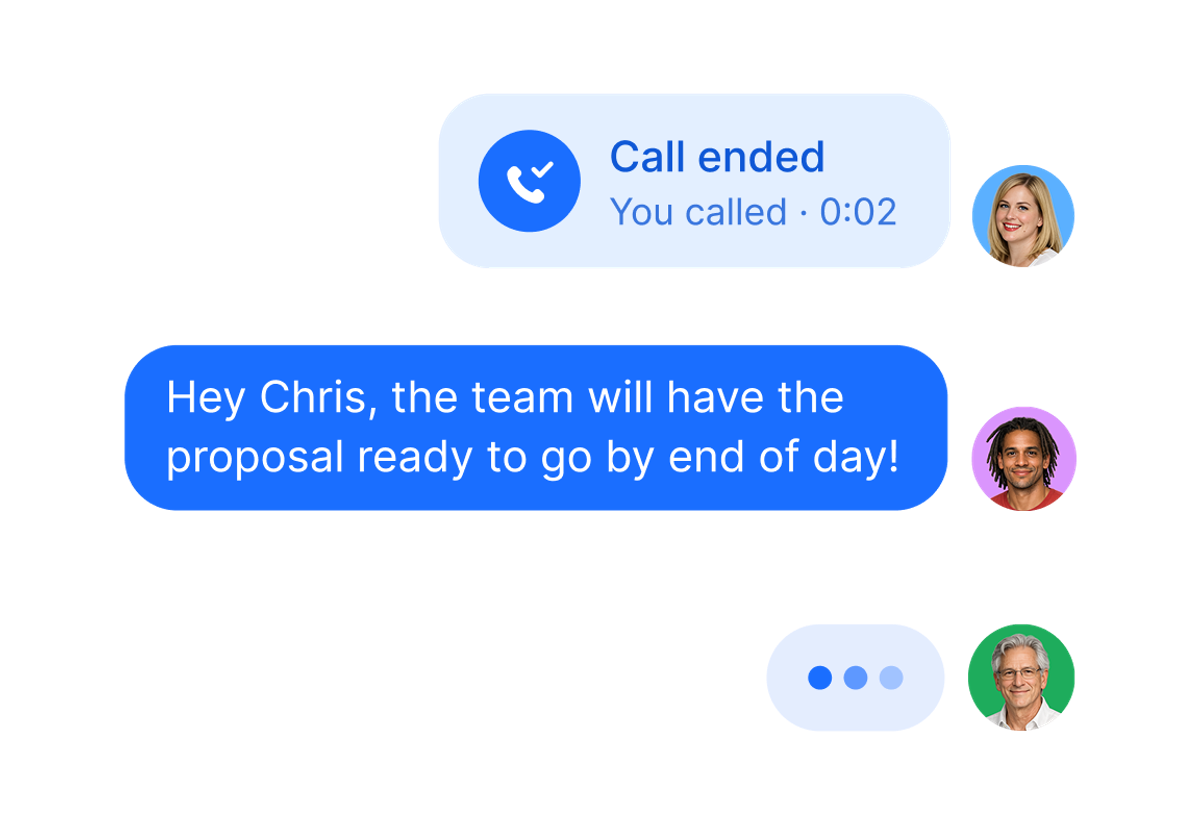
A sole agent does not need a large team to benefit from a shared number. You can use Quo as the business line that both you and your virtual assistant can access.
A simple operating model looks like this:
- You answer live calls when you are available.
- Your assistant monitors missed calls, voicemails, and incoming texts.
- Your assistant handles routine scheduling or information requests within the scope you approve.
- Conversations that require your judgment are assigned or discussed internally.
- You can review the full conversation history before calling the lead back.
The key advantage is context. Quo's shared-number tools let teammates use one number for calls and texts, and its shared inbox shows what has been said and what still needs a response.[2] That is much cleaner than forwarding screenshots between personal phones or asking your assistant to work from a disconnected spreadsheet.
Set clear permissions and written procedures for your assistant. Define which questions they can answer, when they should transfer or escalate a call, and what client information should never be shared in an internal note.
Give each team member a business-controlled number
Quo can support more than one business number. You can assign a dedicated number to a new agent, virtual team member, inside sales agent, transaction coordinator, or department instead of asking that person to use a personal cell number.[3][6]
Because the number is managed inside the business's Quo workspace, the business keeps control of the line and its access. If a team member changes roles or leaves, a workspace administrator can remove that person's access and assign the business number to someone else.[2]
Use a shared number when several people need to collaborate in the same inbox. Use a dedicated number when one person needs a direct line, but the business still needs to manage the number, conversation access, and future reassignment. A team can use both models at the same time.
How a real estate team can share one number
For a team, one shared number can become the front door for buyer inquiries, seller leads, listing calls, showing requests, and general office communication. Multiple teammates can call and text from the same number while retaining a shared history.[2]
That setup can help a team:
- Present one consistent public number across marketing.
- Avoid making clients guess which team member to call.
- Let an inside sales agent, assistant, or on-duty agent respond from the same inbox.
- See who is already handling a conversation.
- Keep coverage in place when one person is in a showing, appointment, or closing.
A shared number does not mean every notification should ring every person forever. Smaller teams may start with simultaneous ringing. Larger teams can use call routing and schedules to send calls to the right group.[3]
Use call routing for larger teams
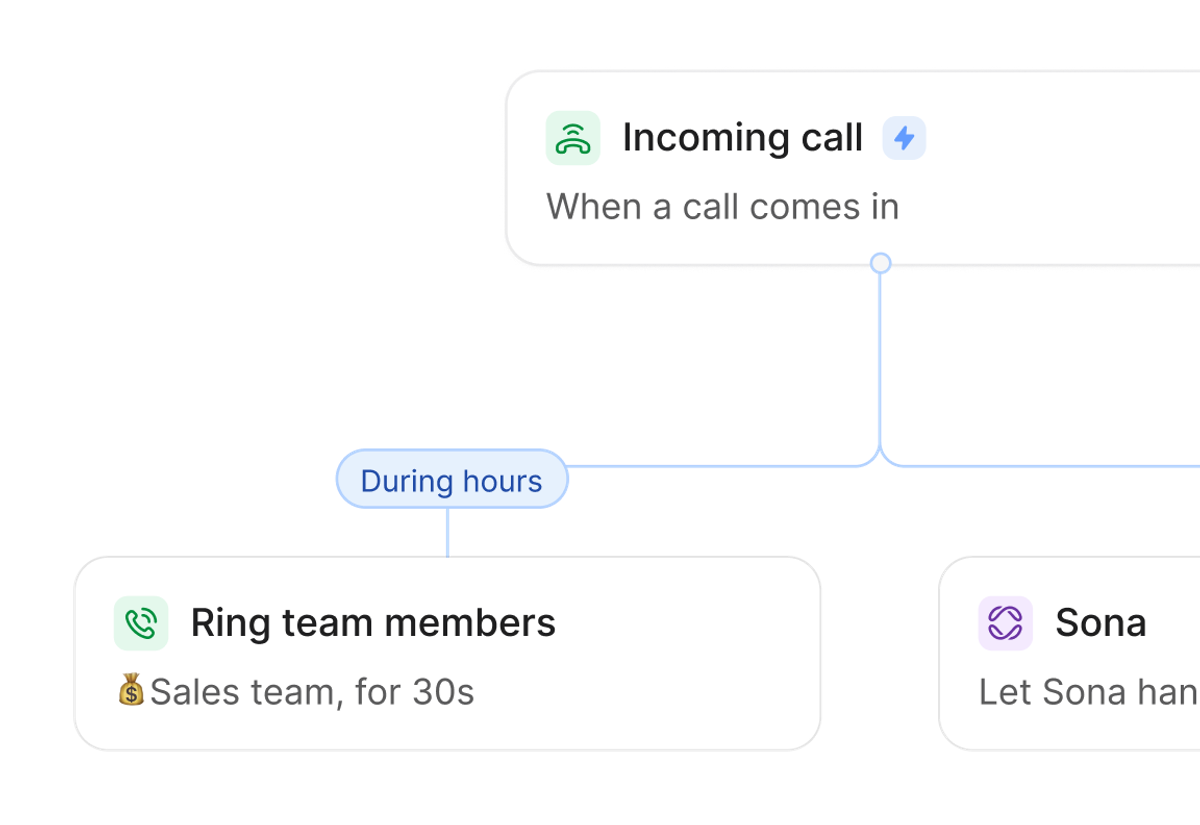
Quo's call routing can direct calls based on availability, time of day, ring order, schedules, or caller menu choices. Its documented options include shared-number routing, sequential routing, round-robin routing, shift-based routing, time-based routing, and automated routing to Sona.[3]
A real estate team could build a call flow such as:
- Ring the primary lead-response group during business hours.
- If no one answers, ring a backup group.
- After hours, send the call to an on-duty agent, voicemail, or Sona.
- Use a phone menu if separate buyer, seller, listing, or transaction routes are genuinely useful.
Keep the menu short. Most callers should reach a person or useful backup quickly, not work through a maze.
Use call forwarding when the call needs to leave Quo
Call forwarding and call routing solve related but different problems. Routing decides which Quo user, group, menu, voicemail, or AI step receives the call. Forwarding sends the incoming call to another phone number.[4]
An agent might use forwarding to:
- Send calls to an existing mobile or landline.
- Reach an outside answering service.
- Cover a temporary gap during travel or poor internet access.
- Send a specific after-hours route to an on-call number.
Quo says forwarded calls can go to landlines or cell phones in the United States or Canada. Its support materials also describe forwarding as a backup option in call flows.[4]
Set auto-replies for missed calls and after-hours texts
An auto-reply can acknowledge a lead before a person is available. Quo supports automatic text replies for missed calls, new voicemails, and incoming texts during or outside business hours.[12]
Useful real estate examples include:
- Missed call: "Thanks for calling our real estate team. We are helping a client right now. What property or neighborhood are you calling about?"
- After-hours inquiry: "Thanks for reaching out. Our team will respond when we reopen at 8:30 a.m. If this is about a showing, please text the property address."
- New voicemail: "We received your voicemail and will review it shortly. You can also text this number with the property address and your preferred callback time."
Do not use an auto-reply to promise an exact response time unless the team can consistently meet it. Quo documents safeguards such as a cooldown that limits repeated auto-replies to the same contact and context checks designed to avoid interrupting active conversations.[12]
Use internal threads without exposing team comments to the client
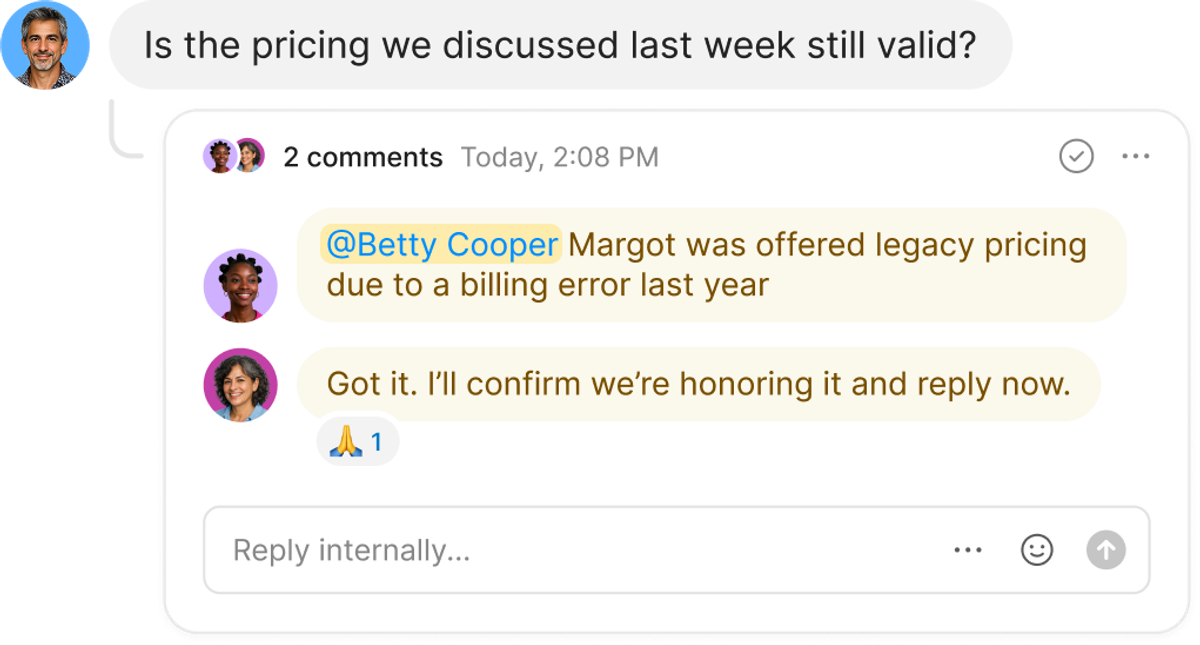
Internal threads let teammates discuss a call, text, or voicemail beside the customer conversation. Quo says these discussions are visible only to team members with access to the shared number, not to the customer.[8]
That makes threads useful for notes such as:
- "@Jordan, can you confirm the seller allows a 6 p.m. showing?"
- "I spoke with this lead. Please send the buyer consultation link."
- "This is the listing agent from yesterday's voicemail. I will return the call."
- "Please check the CRM before replying so we do not duplicate outreach."
Threads can include mentions, action items, and resolved status.[8] They help keep the work beside the conversation instead of scattering it across a separate group chat.
Use Quo's AI features to reduce phone admin
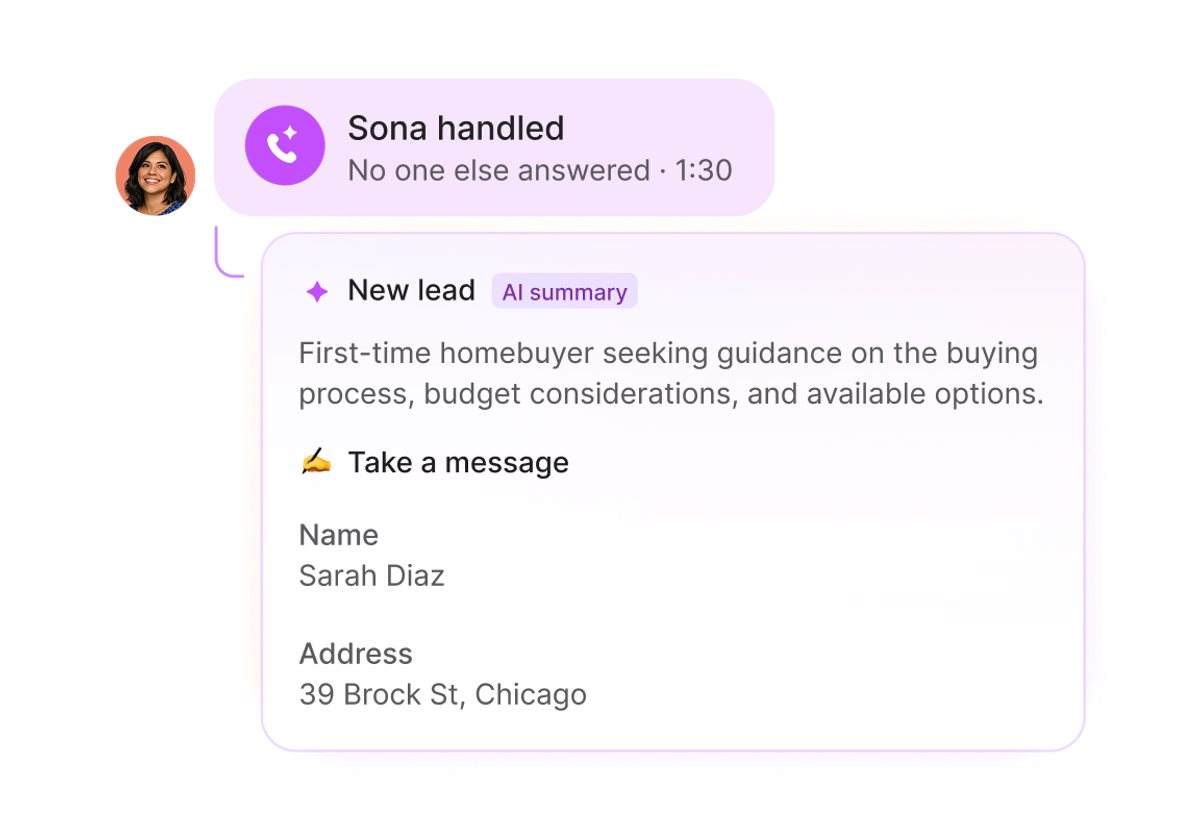
Quo's AI features include automatic call transcripts, call summaries, suggested next steps, contact suggestions, and AI call tagging. Sona is Quo's AI receptionist, which can answer calls, take messages, answer common questions, collect details, send texts, and transfer selected calls to a teammate.[5]
For a real estate operation, AI can help with:
- Reviewing a call summary before following up.
- Searching a transcript for a client's preferred location, timing, or property details.
- Capturing an after-hours lead's name, contact information, and reason for calling.
- Identifying calls that need a human response.
- Sending a booking link or next step after an AI-handled call, when configured.
AI should support the team, not make unsupervised promises about property availability, pricing, representation, contracts, or lending. Test Sona's instructions and transfer rules before placing it into a live call flow, then review its conversations regularly.
Connect Quo to your CRM and other tools
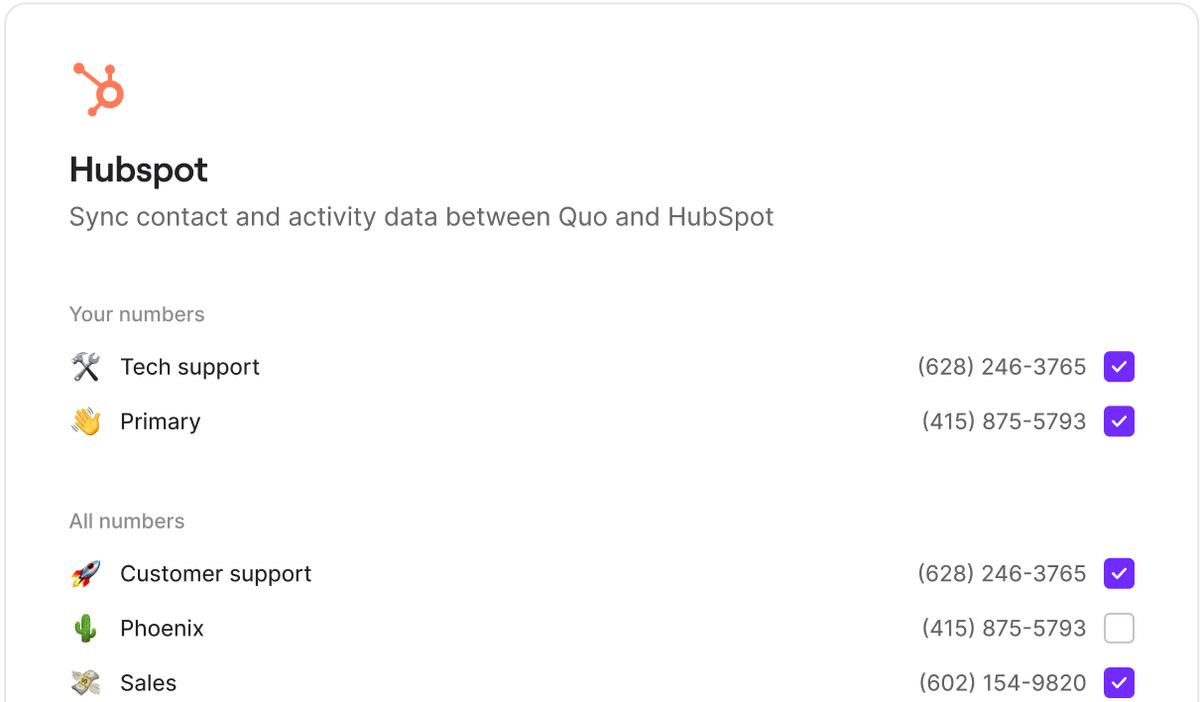
Quo's integration directory lists CRM connections including HubSpot, HighLevel, Pipedrive, Zoho CRM, Salesforce, Attio, and Jobber, along with tools such as Google Contacts, Slack, Zapier, Make, Claude, and ChatGPT.[7]
The exact workflow depends on the integration and plan, but the goal is straightforward: reduce manual re-entry and keep call or text activity closer to the contact record. Before enabling a sync, decide which system owns the contact record, which activities should be logged, and how duplicates will be handled.
Use Quo MCP with ChatGPT or Claude
Quo MCP connects Quo with supported ChatGPT or Claude accounts. Quo says the integration can surface call and text insights, send texts, and manage contact data from the AI chat interface.[6]
For an agent or team leader, useful requests could include:
- Summarize the week's calls and messages, including missed calls and conversations that may need follow-up.
- Draft a text reply based on a recent voicemail.
- Review recent call transcripts for recurring questions.
- Find contacts whose recent messages have not received a reply.
- Update contact details that a client provided during a call.
Quo says the assistant asks for approval before sending a text or creating a contact. Review the proposed action anyway, especially when a message concerns agency relationships, confidential client details, fair housing, pricing, contracts, or transaction deadlines.[6]
A practical setup checklist
- Choose a new local number or plan a supported port.
- Add the agent, virtual assistant, or team members who need access.
- Decide who owns first response for calls, texts, and voicemails.
- Set business hours and notification schedules.
- Build the simplest call flow that covers business hours and after hours.
- Add forwarding only where an outside number is needed.
- Write and test missed-call and after-hours auto-replies.
- Establish rules for internal threads, assignments, and escalation.
- Connect the CRM only after defining contact ownership and duplicate handling.
- Test AI summaries, Sona, and MCP with non-sensitive scenarios before expanding their use.
Quo can be useful at several stages of an agent's business. A solo agent can create a professional line and share coverage with a virtual assistant. A growing team can keep one public number while routing calls, coordinating in internal threads, automating routine replies, and connecting communication to the rest of its systems.
Try Quo with the Agent Marketing School referral link.
Sources
[1] https://www.quo.com/ [2] https://www.quo.com/product/shared-numbers [3] https://www.quo.com/product/call-routing [4] https://www.quo.com/product/call-forwarding [5] https://www.quo.com/product/ai/receptionist [6] https://www.quo.com/product/ai/mcp [7] https://www.quo.com/integrations [8] https://support.quo.com/core-concepts/team-collaboration/internal-threads [9] https://support.quo.com/core-concepts/administration/porting-out [10] https://support.quo.com/getting-started/porting/overview [11] https://support.quo.com/core-concepts/phone-numbers/local-numbers [12] https://support.quo.com/core-concepts/ai-automations/auto-replies
Frequently asked questions
Can a solo real estate agent use Quo with a virtual assistant?+
Yes. A solo agent can use one business number and give an assistant access to the shared inbox, subject to the permissions and operating rules the agent sets. The assistant can help monitor calls, texts, and voicemails while the agent retains the conversation history.
Can teammates share a Quo number or have individual business numbers?+
Both. Multiple teammates can call and text from one shared number, and a business can also assign dedicated numbers to individual agents, assistants, virtual team members, or departments. Those numbers are managed inside the business's Quo workspace rather than tied to an individual's personal mobile account.
Can Quo forward calls to another phone?+
Yes. Quo documents forwarding to landline and cell phone numbers in the United States or Canada. Forwarding is useful when a call needs to reach an outside line instead of another Quo user.
Can I keep my existing real estate business number?+
Quo supports porting many United States, Canadian, Puerto Rico, and North American toll-free numbers, subject to eligibility and carrier requirements. Review the current porting documentation before making changes, and do not cancel your old service before the transfer completes.
Can I move my number away from Quo later?+
Yes. Quo documents a port-out process for active paid accounts. The receiving carrier and account details must be coordinated correctly, and the Quo subscription does not automatically cancel when a port completes.
What can Quo auto-replies respond to?+
Quo documents auto-reply triggers for missed calls, new voicemails, and incoming texts, both during and outside business hours. Setup is currently handled in the web or desktop app.
What does Quo MCP do?+
Quo MCP connects Quo to supported ChatGPT or Claude accounts so users can analyze calls and texts, prepare or send follow-up messages with approval, and manage contact data from the AI assistant.


