
How to Nurture Past Real Estate Clients at Scale Using AI
Use ChatGPT to build a repeatable past-client nurture system that sends personalized check-ins, market updates, and referral requests without overwhelming your calendar. This guide covers the client data setup, message templates, and automated scheduling workflow.
TAThe AMS TeamEditorial Team · September 17, 2026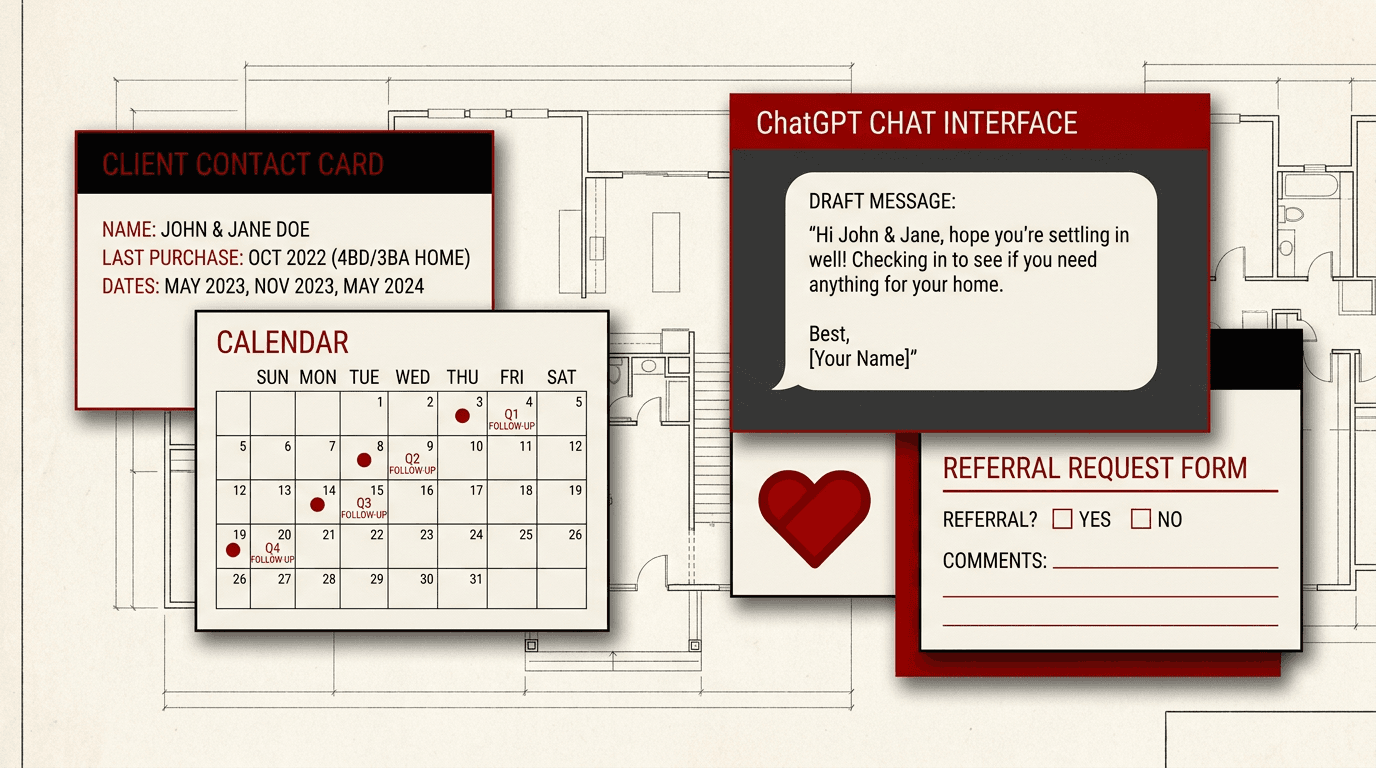
Every real estate agent has a database of past clients. People you helped buy or sell a home. They trusted you with their largest financial transaction. And most agents never follow up with them systematically.
Past-client nurture is the single highest-leverage activity in a real estate business. A past client is 4x more likely to refer business than a cold lead. They already know, like, and trust you. The gap is simple: you have more clients than hours in the day to call them all.
This guide shows you how to use ChatGPT to build a past-client nurture system that sends personalized check-ins, market updates, and referral requests at scale. No CRM plugin required. No complicated automation platform. Just ChatGPT and an organized approach.
Step 1: Organize Your Past-Client Database
Before you can nurture past clients, you need a clean list of who they are and when you last helped them. Open your CRM or a spreadsheet and create columns for:
- Client name
- Property address they bought or sold
- Transaction type (buyer, seller, or both)
- Closing date
- Purchase price range (for context in market updates)
- Last contact date
- Preferred communication channel (email, text, phone)
If you have duplicate or messy contacts, clean them up first. A nurture system is only as good as the data it runs on.
Once your list is organized, export it as a CSV or copy the key rows into a ChatGPT conversation. ChatGPT can read structured data and help you draft personalized messages for each client.
Step 2: Build a Nurture Message Library in ChatGPT
The core of your nurture system is a set of message templates. Create these in a dedicated ChatGPT conversation or a ChatGPT project so they stay accessible. You need four message types:
- Quarterly check-in: A friendly message asking how things are going. No sales pitch. Just a real human check-in tied to the season or local market.
- Market update: A short summary of recent sales in their neighborhood. Past sellers want to know what their home is worth now. Past buyers want to know their investment is solid.
- Homeowner milestone: Anniversary of their closing date, birthday, or the date they moved in. Personalized and timely.
- Referral request: A low-pressure message asking if they know anyone who might be thinking about buying or selling. Send this only after you have delivered value through the other message types.
In ChatGPT, start with a system prompt like this:
"You are a real estate client nurture assistant. I will give you a client name, their past transaction details, and the occasion. Write a warm, professional message I can send via email or text. Keep it to 3-5 sentences. Do not sound like a marketing robot. Include specific details about their home or neighborhood when I provide them."
Save this prompt in a ChatGPT project called Past Client Nurture. Every time you need a message, paste the client details and the occasion. ChatGPT produces a draft you can review, personalize further, and send.
Step 3: Create a Quarterly Nurture Sequence
A nurture system works best when it runs on a schedule. Divide your past clients into four quarterly groups based on their closing date quarter. Each quarter, you nurture one group. Every client gets contacted four times a year.
Here is the quarterly sequence:
- Month 1: Personal check-in. Ask about their family, their home, their plans.
- Month 2: Neighborhood market update. Share 2-3 recent sales or listing trends in their area.
- Month 3: Value-add content. A home maintenance tip, a renovation ROI article, or a local event recommendation.
- End of quarter: Soft referral request. Only if you have sent the previous three messages without asking for anything.
Use ChatGPT to batch-write all three months of messages at the start of each quarter. Feed it the client list and let it draft each clients messages in one session. Review and edit before sending.
Step 4: Personalize Each Message at Scale
The key to nurture that does not feel automated is specific personalization. Generic Dear Client messages get ignored. Messages that reference the clients actual home, neighborhood, or life situation get replies.
Here is how to personalize with ChatGPT at scale:
- Group clients by neighborhood. All clients who bought or sold in the same zip code can get the same market data with their names inserted.
- Include timeline context. "It has been two years since you bought your home on Maple Street. Homes in your area have appreciated about 8 percent in that time." is specific and valuable.
- Let ChatGPT generate variations. Ask it to produce three tone options for each message: warm, professional, and short. Pick the one that matches your relationship with that client.
- Add a P.S. with a real memory. "P.S. I still remember how excited you were when we found that home with the big backyard." That sentence cannot be automated. Add it yourself after ChatGPT drafts the body.
Step 5: Set Up Your Delivery System
ChatGPT writes the messages. You decide how to deliver them. Here are three approaches, from simplest to most automated:
- Manual send: Copy each drafted message from ChatGPT and paste it into your email or text app. Takes 15 minutes per batch of 10 clients. Best for agents with fewer than 50 past clients.
- Email draft queue: Use Claudes Gmail connector or ChatGPTs email capabilities to draft messages directly in your outbox. Review and send when you are ready.
- Scheduled sequence: Use a tool like Zapier or n8n to connect ChatGPT to your email or CRM. Set up a trigger that sends your drafted messages on a schedule. This is the set-it-and-forget-it approach for agents who want automation.
Whichever method you choose, the key is consistency. A nurture system that runs every quarter without fail will outperform a burst of outreach twice a year.
Step 6: Track Responses and Refine Your System
Past-client nurture is not a set-it-and-forget-it project. Track who responds, who unsubscribes, and who mentions a friend who might be looking. Use a simple spreadsheet column to log each clients engagement level:
- Replied positively
- Gave a referral
- Asked to be removed
- No response after two quarters
After the first full quarter, review what worked. Which message type got the most replies? Which clients engage best by text versus email? Feed those observations back into ChatGPT and refine your prompts. Your nurture system gets better every cycle.
Build Your Nurture System This Week
You do not need a big budget or a complex tech stack to nurture past clients at scale. You need a clean list, a set of message templates in ChatGPT, and 30 minutes per quarter to personalize and send. That is it.
Start with 10 past clients this week. Use the steps above to draft their first check-in message. Once you see how easy it is, expand to your full database. Your past clients are your best source of future business. Give them a reason to remember you.
For more AI-powered real estate workflows, read how to build a weekly AI marketing workflow or how to set up an AI-assisted lead follow-up plan.
Frequently asked questions
How often should I contact past real estate clients?+
Contact past clients at least once per quarter. A four-times-a-year cadence keeps you top of mind without overwhelming them. Use a mix of personal check-ins, market updates, and value-add content.
What should a past-client nurture message include?+
A good nurture message is short, specific, and helpful. Reference the clients actual home or neighborhood. Include one piece of valuable information like a market trend or home maintenance tip. Never lead with a sales pitch.
Can I automate personalized messages with ChatGPT?+
Yes. Give ChatGPT your client data and the occasion, and it drafts a personalized message. Review each message before sending. ChatGPT handles the writing at scale while you handle the personal touch that makes it feel real.
How do I avoid sounding robotic with AI-generated nurture messages?+
Include specific details only you would know about each client. Add a personal memory or observation in a P.S. after ChatGPT writes the draft. Vary your sentence structure and avoid marketing phrases like 'I wanted to reach out.'
Should I ask past clients for referrals in automated messages?+
Only after you have sent three value-first messages without asking for anything. A referral request should be soft and genuine, not pushy. Something like 'If you know anyone thinking about buying or selling, I would love to help them too.'
What data do I need to personalize nurture messages for each client?+
You need the client name, property address, transaction type, closing date, and purchase price range. Optional but helpful details include their preferred communication channel, any personal interests they shared, and whether they have referred anyone before.
Can I use this nurture system for sphere-of-influence contacts too?+
Yes. The same ChatGPT workflow works for anyone in your sphere: past clients, friends, family, neighbors, and professional contacts. Adjust the message content to match your relationship with each group.


