Find Your KW App URL
Your KW App URL is what you share with people in order for them to download your agent-branded mobile app to their mobile device. Anyone who clicks on the App URL, on their mobile…
TAThe AMS TeamEditorial Team · February 10, 2025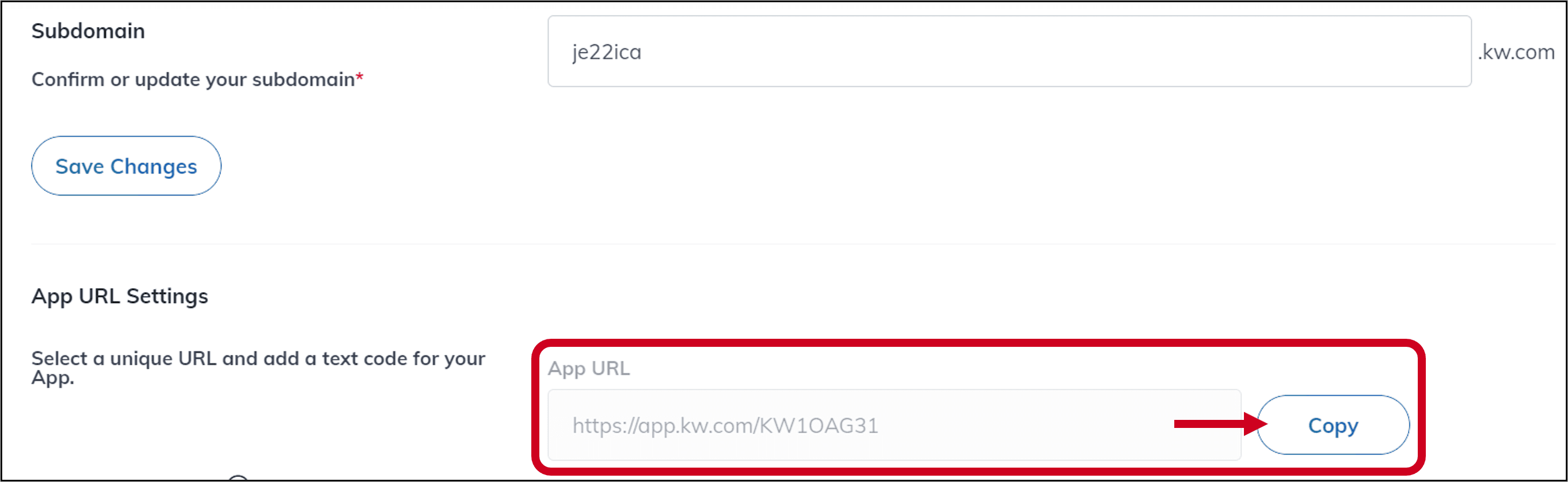
Your KW App URL is what you share with people in order for them to download your agent-branded mobile app to their mobile device. Anyone who clicks on the App URL, on their mobile device, will be automatically taken through the process to download your branded app, though they will need to create an account to access the agent branding. This is a good link to add to your marketing materials and email signature.
Step-by-Step Instructions:
1. Log in to https://agent.kw.com with your Keller Williams login credentials.
2. Click to access the Websites Applet on the left side of the page.
3. Click the Settings tab at the top of the page.
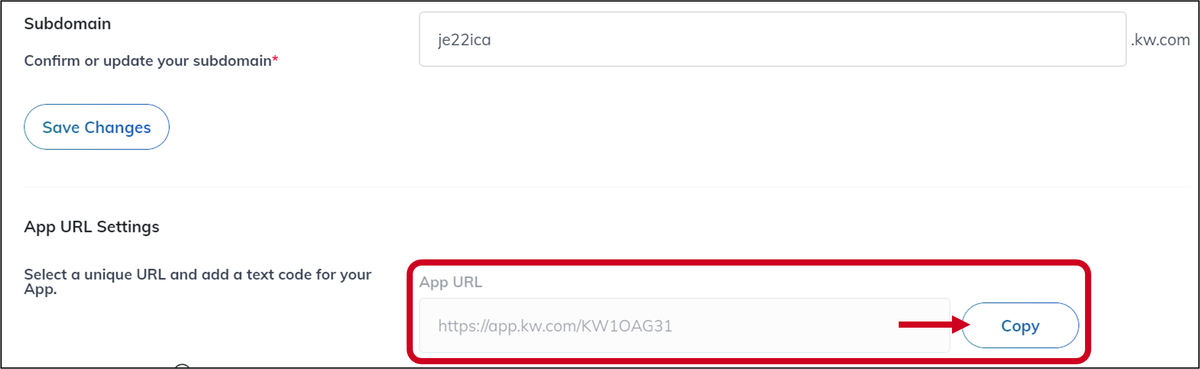
4. Find the App URL Settings section and you will see your KW App URL, which you can click to Copy.
Key Takeaways:
- Your KW App URL is essential for sharing your agent-branded mobile app.
- Adding the URL to your marketing materials and email signature can increase visibility.
- The process to find and copy the URL is straightforward and user-friendly.
Frequently asked questions
What is the KW App URL?+
It is the link you share so people can download your agent-branded mobile app. Anyone who clicks it on a mobile device is taken straight through the download process.
How do I find my KW App URL?+
Log in to agent.kw.com with your Keller Williams credentials, click the Websites applet on the left side of the page, click the Settings tab at the top, then find the App URL Settings section. Your URL is listed there and you can click to copy it.
Do people need an account to see my branding in the app?+
Yes. Anyone can download the app from your link, but they need to create an account before your agent branding appears.
Where should I share my KW App URL?+
Add it to your marketing materials and your email signature so more people see it.