ChatGPT Custom Instructions: Set Up Your Real Estate Content Assistant
In this video, we’ll walk you through how to customize ChatGPT to become your personal real estate content assistant. From social media posts to listing presentations, buyer…
TAThe AMS TeamEditorial Team · October 28, 2024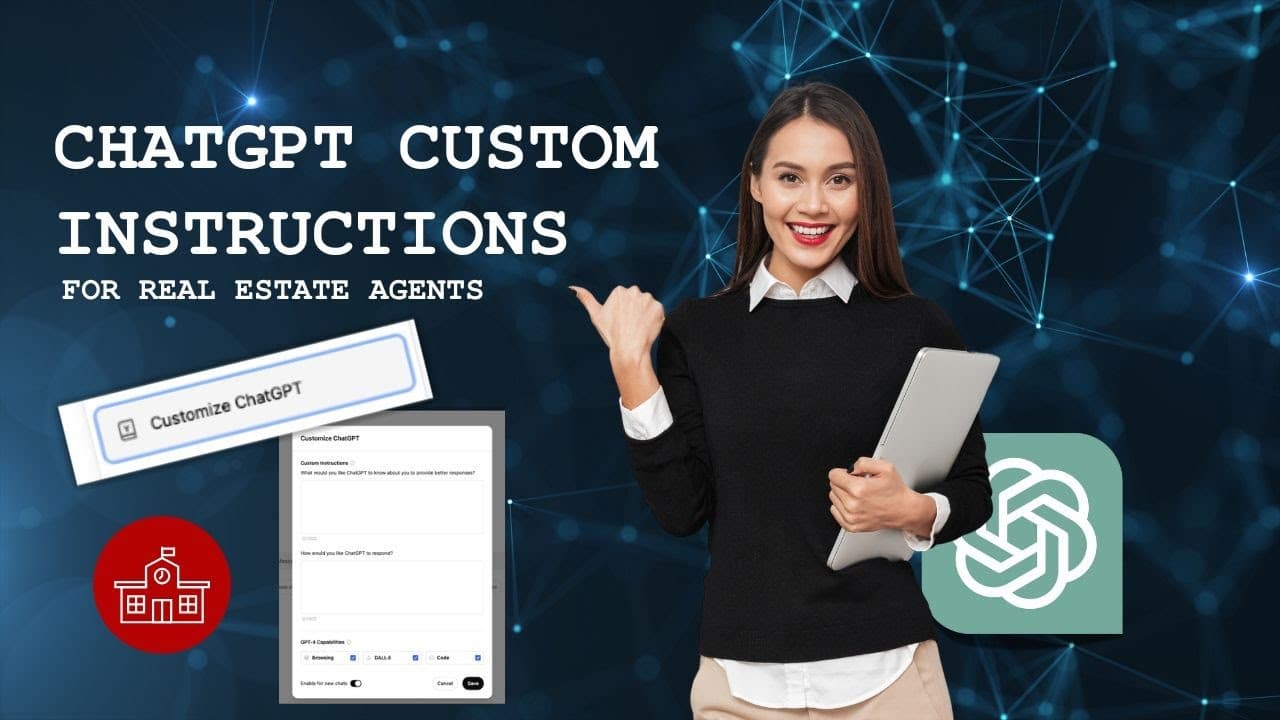
In this video, we’ll walk you through how to customize ChatGPT to become your personal real estate content assistant. From social media posts to listing presentations, buyer guides, and more, ChatGPT can save you time and streamline your marketing efforts. We’ll guide you step-by-step on setting up Custom Instructions in ChatGPT to streamline content creation, making it more efficient while ensuring the output is professional, engaging, and tailored to your business needs.
Step-by-Step Guide:
1.Log into ChatGPT:
First, log into your ChatGPT account. In the top right corner, click on the Settings icon, then select “Customize ChatGPT.” This is where you’ll enter specific instructions to guide ChatGPT in helping you streamline your real estate business tasks.
2.Get Custom Instructions:
Open a separate tab and head over to chatgpt.agentmarketingschool.com. Copy the Custom Instructions provided on the site.
3.Paste Instructions into ChatGPT:
Go back to the ChatGPT tab and paste the instructions into the first box labeled “Custom Instructions.” Personalize this section by adding your name, contact details, and information about your business, like the areas you serve and your specialties.
4.Add Response Instructions:
Head back to chatgpt.agentmarketingschool.com and copy the response instructions.
5.Paste Response Instructions into ChatGPT:
Return to the ChatGPT tab and paste these into the second box titled “How would you like ChatGPT to respond?” Feel free to adjust the tone or style to match your preferences.
6.Save Your Settings:
Once both sections are filled out, click Save.
And that’s it! You’ve just set up ChatGPT as your personal real estate content assistant, ready to help you create social media posts, listing presentations, buyer guides, and more. As your business grows or changes, you can always go back and update the instructions.
For more detailed instructions, visit chatgpt.agentmarketingschool.com.
What You’ll Learn:
•How to customize ChatGPT for real estate marketing
•Using ChatGPT for social media posts, listing presentations, buyer guides, and more
•How to streamline your workflow with AI
🔗 Create your ChatGPT account here:chat.openai.com
🔗 For more ChatGPT tips, visit: chatgpt.agentmarketingschool.com
🔗 Subscribe to our YouTube channel for more real estate marketing tips: agentmarketingschool.com
👍 Don’t forget to subscribe for more real estate marketing tips!
📺 Follow us for more videos on using AI tools to grow your real estate business.
Agent Marketing School
Agent Marketing School teaches real estate agents how to use a variety of apps, CRMs, and tools to simplify their marketing and business processes. From AI tools like ChatGPT to apps for organizing, creating content, managing client interactions, and CRMs for streamlining communication, we provide straightforward, step-by-step tutorials to help agents work more efficiently and grow their business. Our focus is on helping you make the most of the latest technology, so you can focus on what matters most, your clients and deals.
Frequently asked questions
How do I turn ChatGPT into a real estate content assistant?+
Set up Custom Instructions. Log into ChatGPT, click the Settings icon in the top right, select Customize ChatGPT, and fill in both instruction boxes with real estate specific guidance.
Where do the instructions come from?+
Copy them from chatgpt.agentmarketingschool.com. The site provides both the Custom Instructions and the separate response instructions.
What goes in each of the two boxes?+
The Custom Instructions go in the first box, personalized with your name, contact details, service areas, and specialties. The response instructions go in the second box, labeled How would you like ChatGPT to respond. Click Save when both are done.
What can the assistant produce once it is set up?+
Social media posts, listing presentations, buyer guides, and other marketing content, written in a tone tailored to your business.
Can I update the instructions as my business changes?+
Yes. Return to Customize ChatGPT and revise them whenever your service areas, specialties, or preferred tone change.