How Real Estate Agents Can Use Notion to Manage Listings, Leads, and SOPs
Real estate agents can use Notion to organize listing workflows, track relationship follow-up, and keep SOPs in one searchable workspace. This guide shows three practical setups, the fields to include, and where a purpose-built real estate platform may still be the better choice.
TAThe AMS TeamEditorial Team · August 23, 2026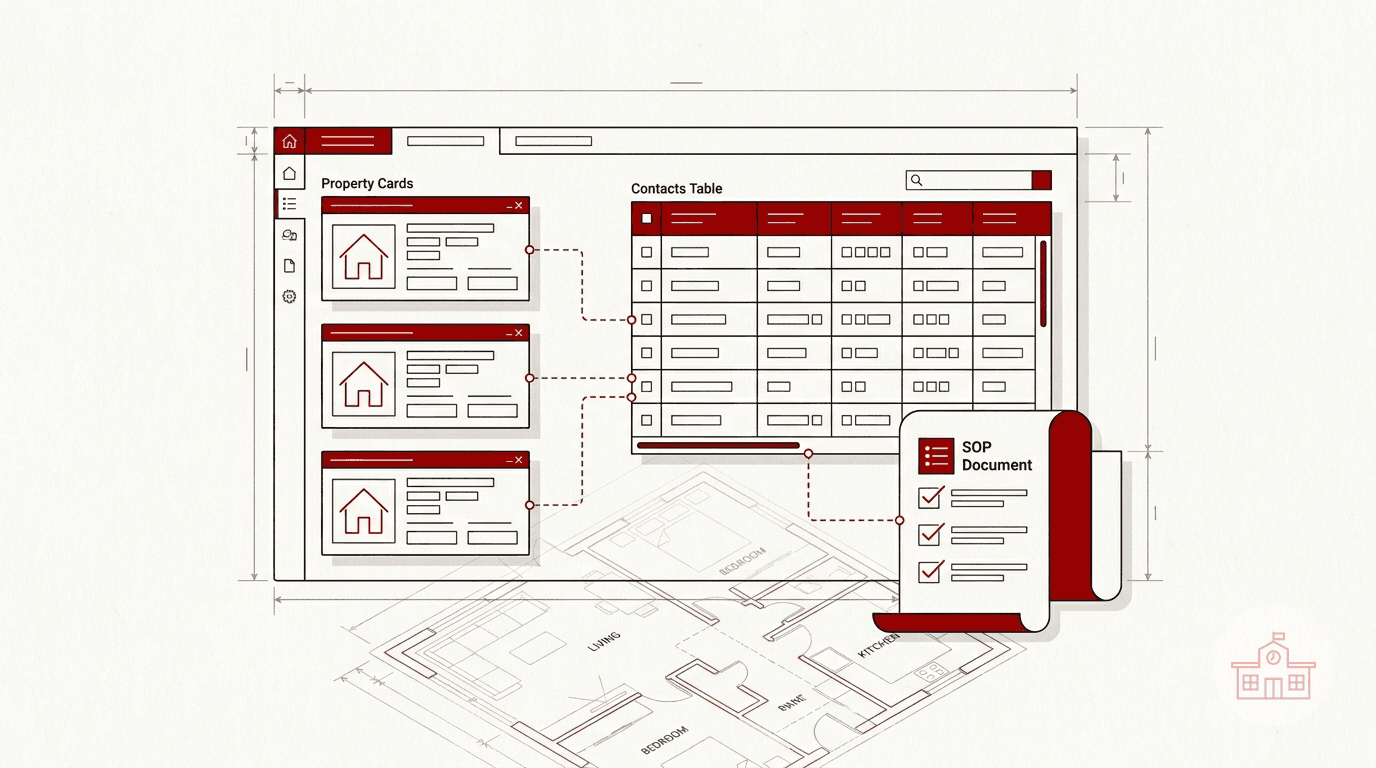
Real estate work produces information everywhere: property details, showing notes, follow-up dates, vendor contacts, marketing deadlines, checklists, and internal procedures. When those details live across text threads, notebooks, spreadsheets, and email, it becomes harder to see what needs attention.
Notion can give an individual agent or small team one flexible workspace for that operational information. A Notion database can display the same records as a table, board, calendar, list, gallery, or timeline. Each record is also a page, so a listing or contact can hold both structured properties and detailed notes.
This article covers three practical ways to use that flexibility:
- Manage the working side of a listing pipeline.
- Build a lightweight CRM for relationship follow-up.
- Maintain SOPs and general internal documentation.
Notion should support your real estate systems, not quietly replace required brokerage, compliance, transaction-management, or MLS tools. Before storing client information, confirm your brokerage's technology and recordkeeping policies. Keep sensitive personal, financial, and transaction data only in systems approved for it.
1. Manage listings in a visual pipeline
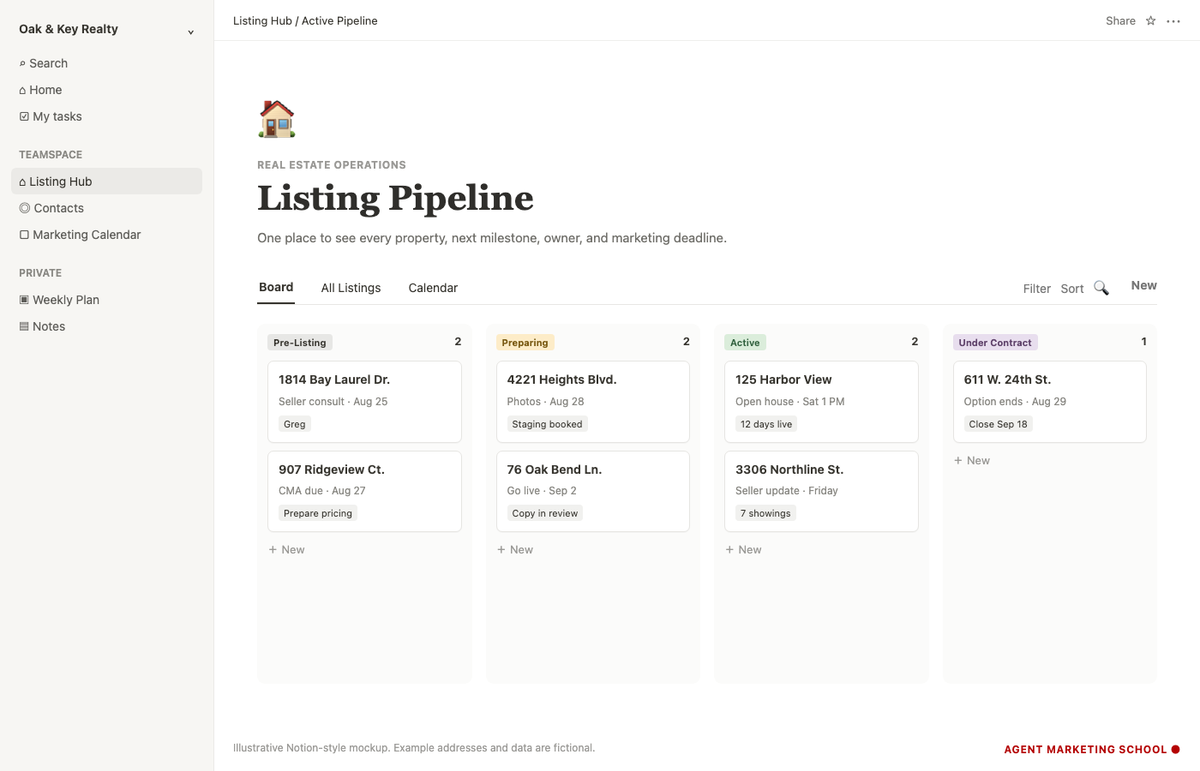
A listing database can become the operating view for each property from the first seller conversation through closing. The goal is not to duplicate every field in your MLS or transaction platform. The goal is to give the team a clear view of the next milestone, the owner, and the marketing work around the property.
Start with one listing database
Create a database called Listings. Give each listing its own page and begin with a small set of useful properties:
- Property address: Suggested Notion type: Title; What it answers: Which listing is this?
- Stage: Suggested Notion type: Status or Select; What it answers: Where is it in the workflow?
- Listing agent: Suggested Notion type: Person or Select; What it answers: Who owns the relationship?
- Marketing owner: Suggested Notion type: Person or Select; What it answers: Who owns production?
- Photography date: Suggested Notion type: Date; What it answers: When are photos scheduled?
- Go-live date: Suggested Notion type: Date; What it answers: When should marketing launch?
- Open-house date: Suggested Notion type: Date; What it answers: What event is next?
- Next action: Suggested Notion type: Text; What it answers: What must happen now?
- Seller update due: Suggested Notion type: Date; What it answers: When should the seller hear from us?
- Related contacts: Suggested Notion type: Relation; What it answers: Which contact record belongs to this listing?
Keep the first version small. A database with eight fields the team updates is more useful than one with thirty fields everyone ignores.
Create views for different decisions
Notion lets you show the same database in multiple views. That means you do not need separate spreadsheets for active listings, marketing dates, and upcoming open houses.
Useful views include:
- Pipeline board: Group listings by stage, such as Pre-Listing, Preparing, Active, Under Contract, and Closed.
- Launch calendar: Display photography, go-live, and open-house dates on a calendar.
- Active listings table: Filter to active properties and show only the fields needed for the weekly seller update.
- My listings: Filter by listing agent or marketing owner so each person sees the records they own.
- Needs attention: Filter for missing dates, overdue next actions, or records without an assigned owner.
Each view can have its own filters, sorts, groups, and visible properties. Changing a view does not require copying the records into a new database.
Use a database template for every new listing
A Notion database template can prefill the structure inside each new listing page. Build a New Listing template with sections such as:
- Property summary
- Seller-approved facts
- Photography and media links
- Marketing checklist
- Open-house plan
- Weekly seller-update notes
- Vendor contacts
- Post-closing archive notes
Templates reduce the chance that one listing page has a full checklist while the next one starts as a blank page. Notion also supports repeating database templates, but recurring items should be used carefully. Confirm that an automatically created page has a clear owner and does not become another ignored task.
2. Use Notion as a lightweight real estate CRM
Notion can work as a simple relationship tracker when an agent needs a clean place for contact context, conversation notes, and next follow-up dates. It is most appropriate when the workflow is small and mostly manual.
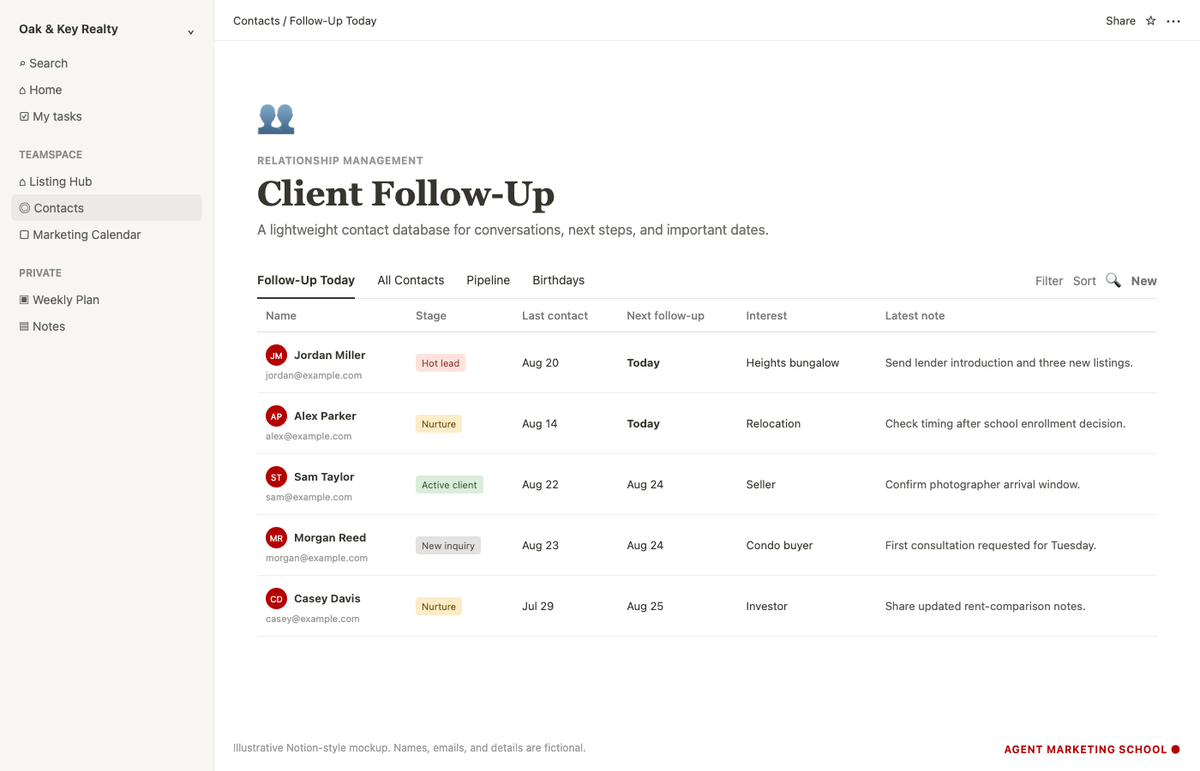
Build the CRM around the next conversation
Create a Contacts database with properties that support follow-up:
- Name: Suggested Notion type: Title
- Email: Suggested Notion type: Email
- Phone: Suggested Notion type: Phone
- Relationship stage: Suggested Notion type: Status or Select
- Contact type: Suggested Notion type: Multi-select
- Last contact: Suggested Notion type: Date
- Next follow-up: Suggested Notion type: Date
- Area or property interest: Suggested Notion type: Text or Multi-select
- Source: Suggested Notion type: Select
- Related listing: Suggested Notion type: Relation
- Notes: Suggested Notion type: Page content
Then create views that answer specific questions:
- Follow-Up Today: Next follow-up is today or earlier.
- New Inquiries: Stage is New Inquiry.
- Active Clients: Stage is Active Buyer, Active Seller, or Under Contract.
- Nurture: Contacts who are not ready now but have a future follow-up date.
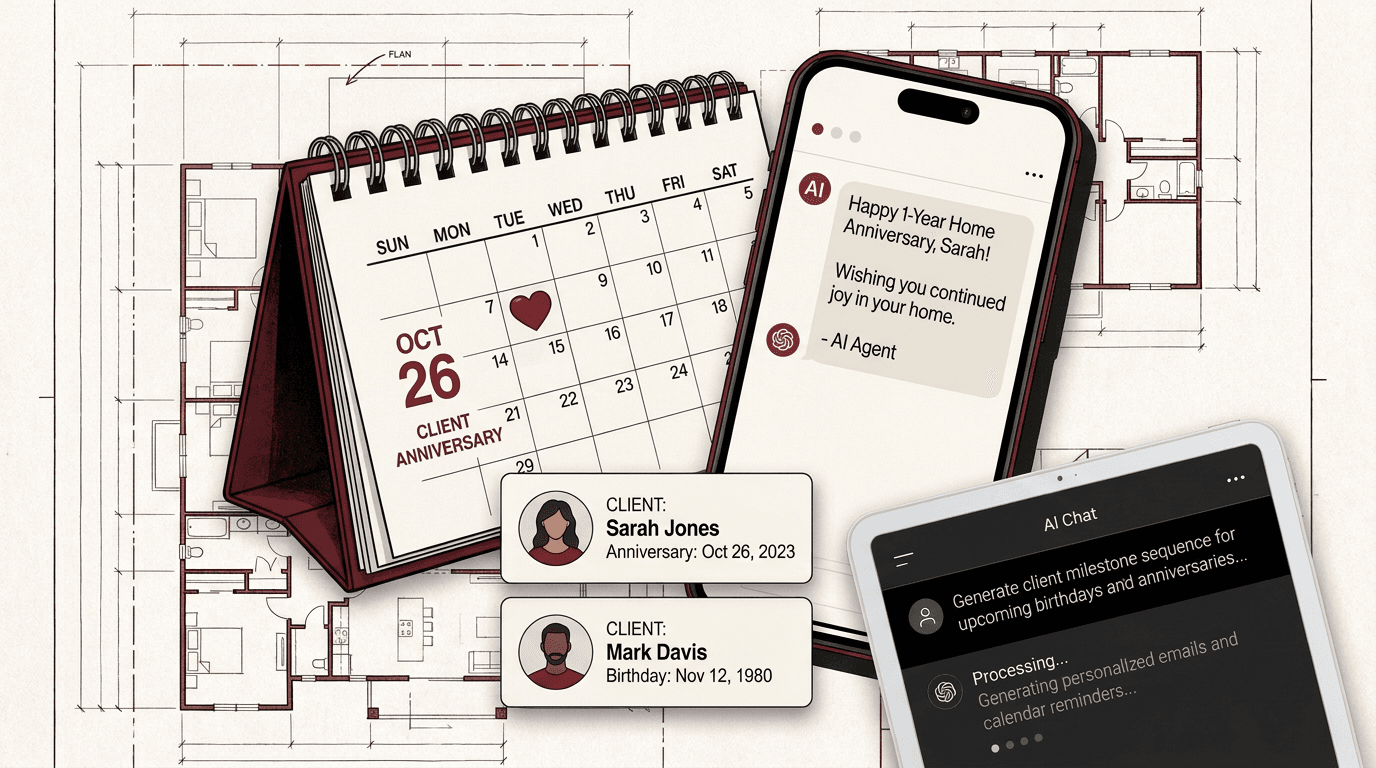
- Birthdays and Home Anniversaries: Useful only if the dates are collected appropriately and the outreach is genuinely personal.
The most important field is usually Next follow-up. A contact record without a next step can become a digital business card instead of a working relationship system.
Connect contacts and listings with relations
Notion relation properties connect records in different databases. A contact can relate to a listing, and the listing can show the related contact. This is useful for keeping seller notes close to the property workflow without copying the same information into multiple places.
A relation can also connect:
- Contacts to meetings
- Contacts to referral partners
- Listings to vendors
- Listings to marketing tasks
- SOPs to the databases they explain
Start with one or two relations. Too many connected databases can make a lightweight system harder to maintain.
Know when a real CRM is the better tool
A Notion CRM does not automatically become a full lead-conversion platform. If you need automated email or text campaigns, website lead capture, team routing, call tracking, detailed permission controls, or brokerage reporting, use a purpose-built real estate CRM or an approved system.
Notion can still sit beside that CRM as a planning and documentation layer. Avoid creating two competing sources of truth. Decide which system owns contact status, follow-up tasks, and communication history before the team starts entering data.
3. Manage SOPs and internal documentation
A real estate business repeats the same workflows: launching a listing, preparing an open house, ordering signs, sending a seller update, onboarding a vendor, or reviewing a marketing asset. Writing those steps once makes it easier to delegate the work and improve it later.
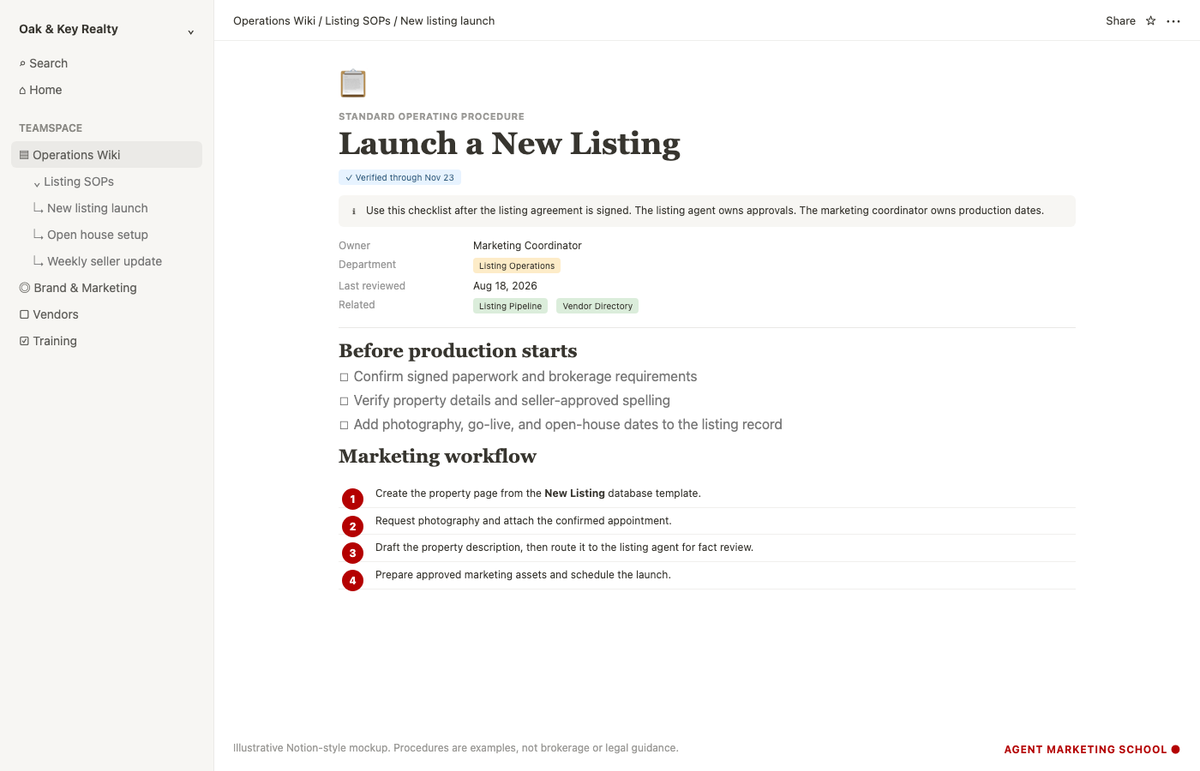
Create an operations home page
Start with one page called Operations Wiki. Organize it around the work people need to find, not around a complicated folder tree.
A simple structure might include:
- Listing SOPs
- Buyer service SOPs
- Marketing and brand standards
- Open-house procedures
- Signs and print ordering
- Vendor directory
- Technology setup
- Team onboarding
- Approved scripts and templates
Notion pages can contain text, checklists, images, videos, embeds, files, links, and subpages. That makes one SOP useful for both the written procedure and the supporting assets.
Use one SOP format
A consistent SOP is easier to scan and update. Use a template with:
- Purpose: What result should this procedure produce?
- Owner: Who maintains the procedure?
- When to use it: What event starts the workflow?
- Inputs: What information or approval is required?
- Steps: What should happen, in order?
- Quality check: What must be reviewed before completion?
- Related resources: Which database, vendor, form, or template supports the work?
- Last reviewed: When was the procedure checked?
Notion's wiki features can add page ownership and verification. Some verification options depend on the Notion plan, so check the current plan requirements before building a review process around them. Even without formal verification, an Owner and Last Reviewed field can make stale documentation easier to spot.
Document decisions, not just steps
A useful internal page should explain why a checkpoint exists when that context prevents errors. For example, a listing-launch SOP can state that property facts and spelling must be approved before marketing production begins. That is more useful than a vague instruction to "create the marketing."
Keep compliance language separate from internal convenience. Brokerage policy, legal requirements, MLS rules, and record-retention obligations should come from the approved source and should not be rewritten casually inside a team wiki.
A simple way to build the workspace
Do not start by designing a complete operating system. Start with the workflow causing the most friction.
Week 1: Build one database
Choose Listings or Contacts. Add only the fields needed for the next weekly review. Enter a few current records and use the database during real work.
Week 2: Add two useful views
Create one view for the full pipeline and one view for what needs attention now. Remove properties that do not help either decision.
Week 3: Add one template
Create a New Listing, New Contact, or SOP template. Test whether another person can use it without a separate explanation.
Week 4: Decide what Notion owns
Write down which system is the source of truth for contacts, transactions, documents, and tasks. If another approved platform owns the record, link to it from Notion instead of copying sensitive data.
The best Notion setup is the one your team maintains
Notion is flexible enough to model listings, contacts, tasks, procedures, and internal knowledge. That flexibility is useful, but it can also encourage overbuilding.
A practical real estate workspace stays focused on three questions:
- What needs attention?
- Who owns the next action?
- Where is the approved information?
Build around those questions, review the system during real work, and add complexity only when it removes a repeated problem.
Sources
Frequently asked questions
Can real estate agents use Notion to manage listings?+
Yes. A Notion database can track the working status of listings, responsible team members, marketing milestones, next actions, and important dates. It should complement, not replace, any brokerage-required transaction, compliance, MLS, or document-management system.
Can Notion replace a real estate CRM?+
Notion can serve as a lightweight CRM for contact notes, relationship stages, and manual follow-up. A purpose-built CRM is usually better when an agent needs automated campaigns, lead routing, call tracking, website capture, or detailed brokerage reporting.
What fields should a real estate agent put in a Notion contact database?+
Start with name, contact details, relationship stage, last contact, next follow-up, property interest, source, related listing, and notes. Keep the database small enough that the agent or team will update it consistently.
How can a real estate team use Notion for SOPs?+
Create an operations wiki with one consistent SOP template. Each procedure should include its purpose, owner, trigger, required inputs, ordered steps, quality checks, related resources, and last-reviewed date.
Can Notion connect contacts to listings?+
Yes. Notion relation properties can connect records in a Contacts database to records in a Listings database. This lets each side display the related page without copying the same information into both places.
Is it safe to store client information in Notion?+
Use only systems approved by your brokerage for the type of information being stored. Avoid placing sensitive personal, financial, transaction, or compliance data in an unapproved workspace, and confirm access, sharing, retention, and security requirements before adding client records.