Why Real Estate Agents Should Use Canva to Create Open House Flyers
One of the key lessons from The Millionaire Real Estate Agent (MREA) book by Gary Keller is the importance of building systems for every part of your business, including your…
TAThe AMS TeamEditorial Team · April 29, 2025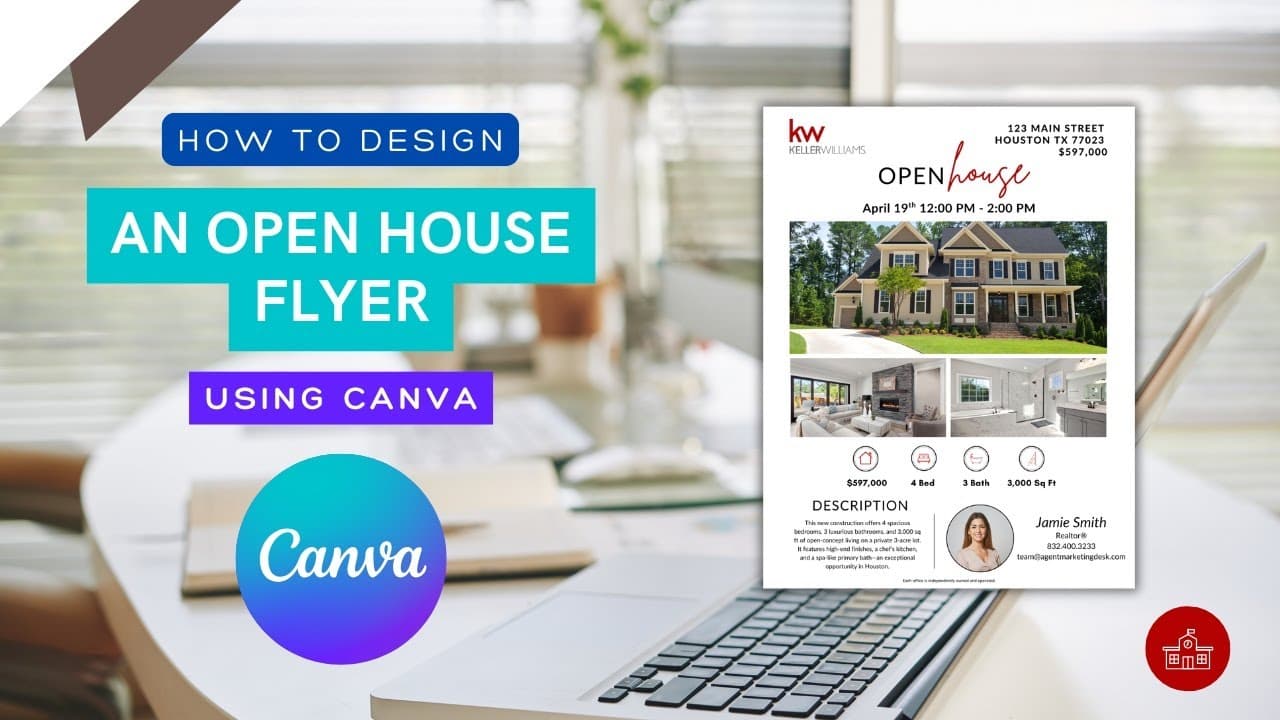
One of the key lessons from The Millionaire Real Estate Agent (MREA) book by Gary Keller is the importance of building systems for every part of your business, including your marketing. Using a tool like Canva, paired with a ready-made flyer template, helps you create a repeatable system for promoting open houses quickly and professionally. Instead of reinventing the wheel each time, you can plug this into your listing process, saving time, staying consistent, and strengthening your brand as your business grows.
Creating a flyer for your next open house shouldn’t feel like a chore, or require a graphic design degree. Yet too many agents either overpay for design help or settle for generic templates that don’t reflect their brand.
That’s where Canva comes in.
Canva is one of the easiest tools out there for real estate agents who want to create professional, eye-catching marketing materials without the learning curve. Specifically? It’s a game-changer when it comes to designing open house flyers.
No Design Skills? No Problem.
Let’s be honest, most agents didn’t get into real estate because they love layout and font pairings. But with Canva, you don’t need to worry about any of that.
Its drag-and-drop editor, real estate flyer templates, and simple customization tools make it incredibly easy to create something that looks polished and personalized, even if you’re not naturally creative.
Why Flyers Still Matter
Even with all the attention on social media, a good flyer still pulls weight in your open house marketing strategy. It gives buyers a quick, visual overview of the home. It can be printed and handed out, emailed to your list, posted in a Facebook group, or added to a listing package. And when it looks clean and professional, it builds trust.
We Have a Canva Flyer Template You Can Use Today
To make things even easier, we provided a customizable flyer template in Canva that’s designed specifically for real estate agents.
✅ It includes a space for your listing photos
✅ Has room for your branding and contact info
✅ And it’s already formatted to look clean and modern
👉 Get the KW Open House Flyer Template here
Want to See It in Action?
We also made a short video tutorial that walks you through how to use the template, even if you’ve never used Canva before.
🎥 Watch the tutorial on YouTube
You’ll see how fast and flexible Canva can be, and how easy it is to make your open house flyers look like they were designed by a pro.
For more practical tools and marketing tips like this, that’s what we cover at Agent Marketing School.
Frequently asked questions
Do I need design skills to make an open house flyer in Canva?+
No. The drag-and-drop editor, real estate flyer templates, and simple customization tools let you produce something polished without any design background.
Do flyers still matter when everything is on social media?+
Yes. A flyer gives buyers a quick visual overview of the home, and the same file can be printed and handed out, emailed to your list, posted in a Facebook group, or added to a listing package.
Is there a ready-made template for KW agents?+
Yes. There is a customizable KW Open House Flyer template in Canva with space for listing photos, room for your branding and contact information, and formatting already set up.
Is there a tutorial if I have never used Canva?+
Yes. A short video tutorial walks through using the template from scratch.
Why use a template instead of designing each flyer fresh?+
It turns flyer creation into a repeatable system you plug into your listing process. That saves time, keeps your materials consistent, and strengthens your brand as your business grows.